Belt Diagram for John Deere Z425 Mower Understanding and Maintenance Guide
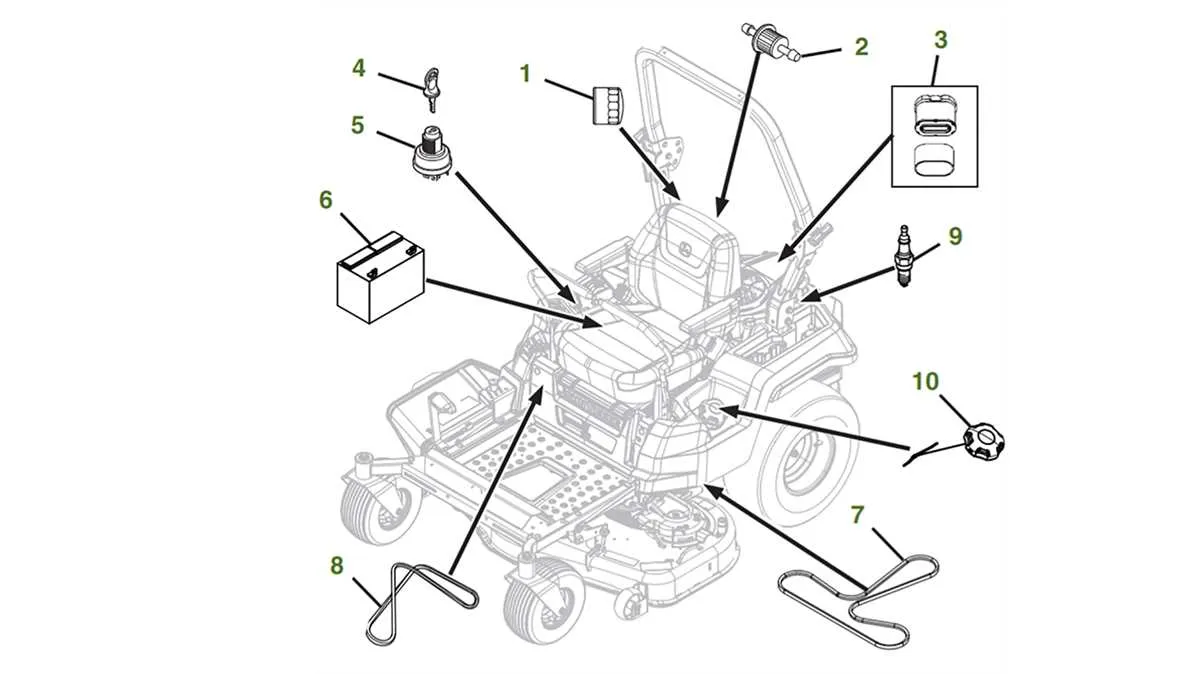
If you’re looking to replace or maintain the belts on your John Deere Z425, it’s crucial to have the belt diagram at hand. This diagram shows you the exact routing of the belts, ensuring proper installation and efficient operation of your mower. Without the correct routing, the belts can slip, wear out prematurely, or even cause more damage to the engine.
The John Deere Z425 uses multiple belts for different functions, including the drive belt and the mower deck belts. These belts need to be installed in a specific order to guarantee optimal performance and avoid unnecessary strain on the engine. Following the belt diagram precisely will save you time and frustration when doing maintenance or repairs.
When replacing the belts, always ensure that the correct part numbers are used. Using non-original parts can affect the machine’s performance and lifespan. The belt diagram provides a clear reference for locating each belt, making the process smoother and more accurate.
Belt Diagram for John Deere Z425
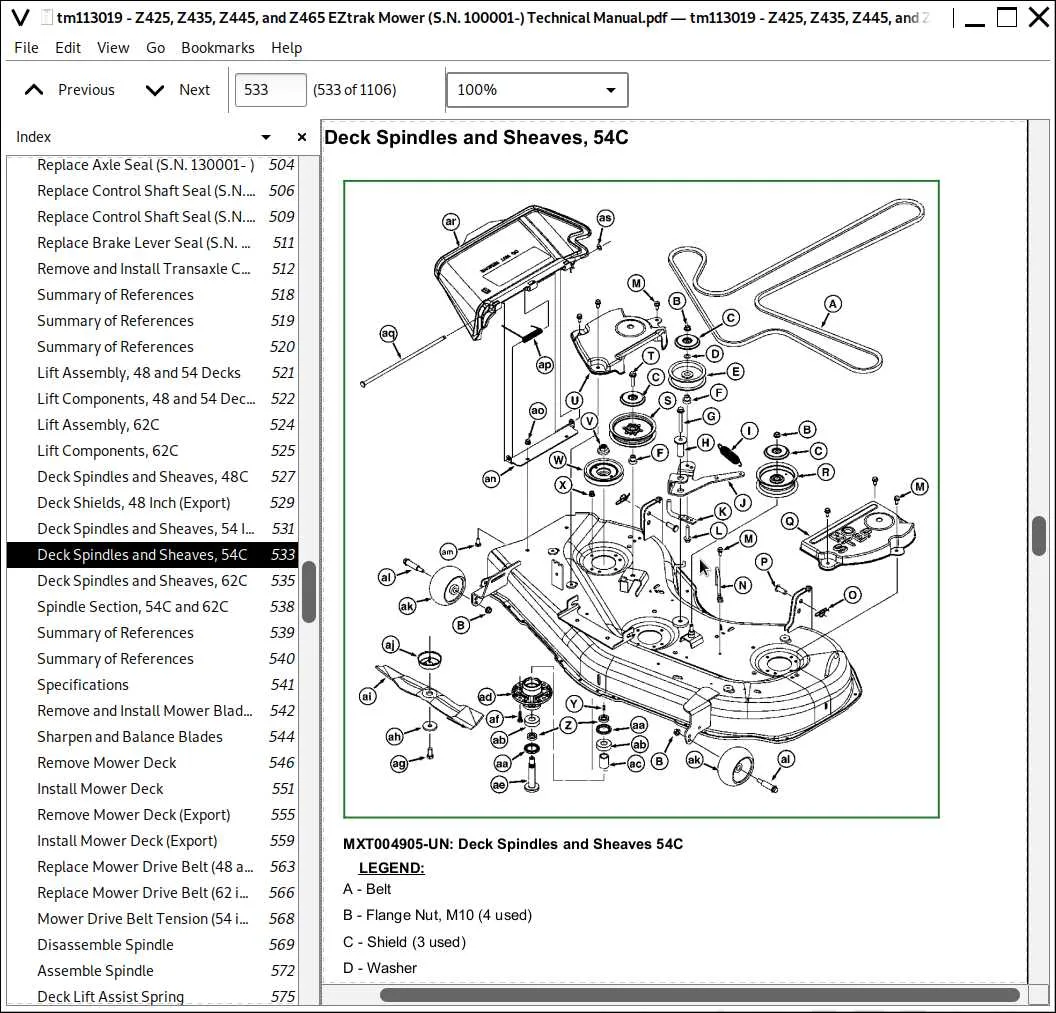
To replace or adjust the belts on your John Deere Z425, follow this diagram for proper belt routing. The layout ensures smooth operation and extends the life of your mower.
Start by turning off the engine and disconnecting the battery. Then, remove the mower deck for better access to the belts.
The John Deere Z425 has two primary belts: the drive belt and the mower deck belt. The drive belt is responsible for transferring power from the engine to the mower’s transmission, while the deck belt runs the blades.
- Drive Belt: This belt runs from the engine’s pulley to the transmission pulley. It loops around several idler pulleys that maintain tension and ensure proper movement.
- Deck Belt: The deck belt wraps around the deck pulleys, powering the blades. It travels over the main drive pulley and connects to the spindle pulleys, which turn the blades.
To ensure correct routing, make sure the belt follows the path shown in the diagram. Pay attention to the alignment of the idler pulleys and ensure the belts are taut but not overly tight.
If you need to replace a belt, check for any visible signs of wear like cracks or fraying. Also, inspect the pulleys for any damage or debris buildup that might prevent the belt from running smoothly.
Always use the recommended replacement belts from John Deere to maintain the mower’s performance. After installing the new belt, check for proper tension and alignment before reassembling the mower deck and reconnecting the battery.
Understanding the Belt Layout for John Deere Z425 Mower
The belt layout for the John Deere Z425 mower is designed to ensure smooth power transfer from the engine to the mower deck. This setup involves multiple belts, each with a specific role in driving the various components of the mower, like the blades and transmission system.
Start by locating the main drive belt, which connects the engine to the mower deck. This belt runs from the engine’s PTO (power take-off) pulley to the deck pulleys, powering the blades. Ensure the belt is properly tensioned; if it’s too loose, the blades might not engage effectively.
Next, inspect the deck engagement belt, which connects the deck pulleys to the spindles. This belt is crucial for controlling the mower blades’ rotation. Regularly check for signs of wear or damage, especially after heavy use, as a worn deck belt can cause uneven cutting or failure to engage the blades.
The Z425 also features a transmission belt that connects the engine to the rear wheels, enabling movement. If your mower is having trouble moving forward or backward, the transmission belt might need replacement or adjustment.
When replacing or adjusting any belt, always ensure that the new belt matches the manufacturer’s specifications for size and material. Use a diagram from the mower’s manual to confirm correct routing. Improperly routed belts can lead to slippage or premature wear.
Regular maintenance, such as cleaning the pulleys and checking for debris, can extend the life of your belts. If you notice any signs of belt fraying or squealing sounds during operation, it’s time to inspect and replace the belts.
How to Replace the Belt on the John Deere Z425 Lawn Mower
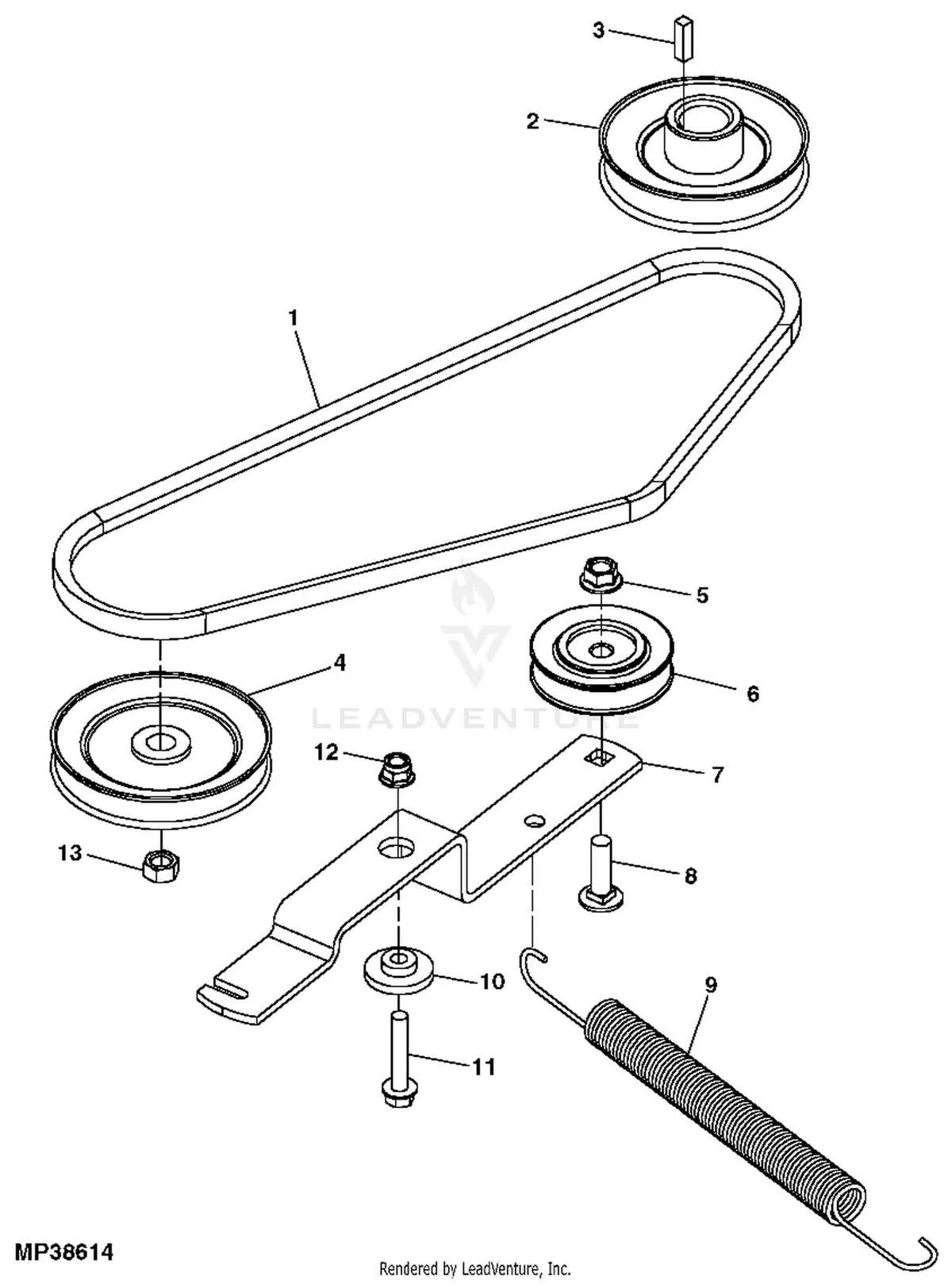
To replace the belt on your John Deere Z425, start by disconnecting the battery to prevent accidental starts. Raise the mower deck to the highest setting for easier access to the components.
Next, remove the mower deck by loosening the bolts and pins holding it in place. You’ll need a wrench and socket set for this. Once removed, place the deck on a stable surface.
Locate the belt you need to replace, which runs over pulleys and spindles. To relieve tension, use a wrench to remove the spring from the tension pulley. Afterward, carefully slide the old belt off the pulleys. Pay attention to the belt’s routing as you’ll need to replicate it with the new one.
Install the new belt by threading it through the pulleys in the same configuration. Double-check that it aligns correctly and rests properly on all pulleys and spindles.
Once the new belt is in place, reattach the spring to the tension pulley. Ensure the belt has the correct tension by manually rotating the pulleys–there should be no slack.
Reinstall the mower deck onto the mower frame, securing it with the bolts and pins. Reconnect the battery, and test the mower to make sure the new belt is functioning smoothly and there are no issues with belt tracking.
Common Issues with John Deere Z425 Belt System and How to Fix Them
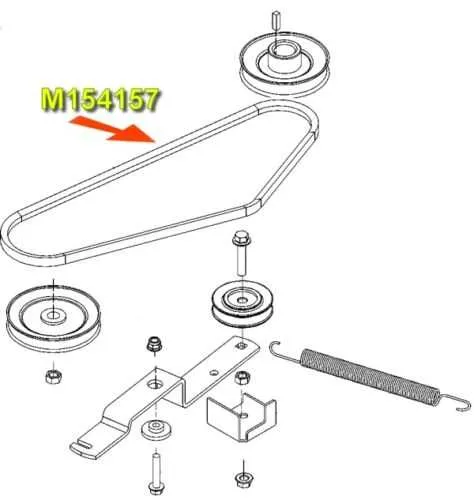
1. Belt Slipping or Losing Tension: If the belt is slipping, check for worn or loose pulleys. Ensure the belt is properly routed and adjusted. Tighten the belt if necessary and replace the pulley if it’s damaged. A loose or worn-out belt can reduce cutting efficiency.
2. Broken or Frayed Belts: A broken or frayed belt typically indicates an issue with the tension or alignment of the system. Inspect the belt for wear. If you find any fraying or breaks, replace the belt with a new one. Always use John Deere-recommended belts for optimal performance.
3. Poor Cutting Performance: If the mower isn’t cutting evenly, the belt may not be driving the blades properly. Check for a stretched or misaligned belt. Adjust the tension and realign the pulleys to ensure proper blade rotation. Also, inspect the blade spindles for any damage.
4. Pulleys or Idler Arm Issues: Worn pulleys or idler arms can cause improper belt alignment, leading to uneven tension. If a pulley is damaged or the idler arm is misaligned, replace or adjust them to restore proper belt function.
5. Belt Squeal: A squealing belt usually means it’s too loose or misaligned. Check for debris buildup around the pulleys, and clean them. If the squeal persists, adjust the belt tension or replace the belt if it shows signs of damage.
6. Belt Coming Off: If the belt keeps coming off the pulleys, check for worn or misaligned pulleys and idler arms. Ensure the belt is properly installed and tensioned. Inspect the entire system for any parts that could be obstructing the belt’s path.
Regular maintenance, such as cleaning the belt system and checking for wear, can prevent many of these issues. Always follow the manufacturer’s guidelines for replacing parts to maintain the optimal performance of your John Deere Z425.