John Deere 175 Hydro Drive Belt Diagram and Maintenance Instructions
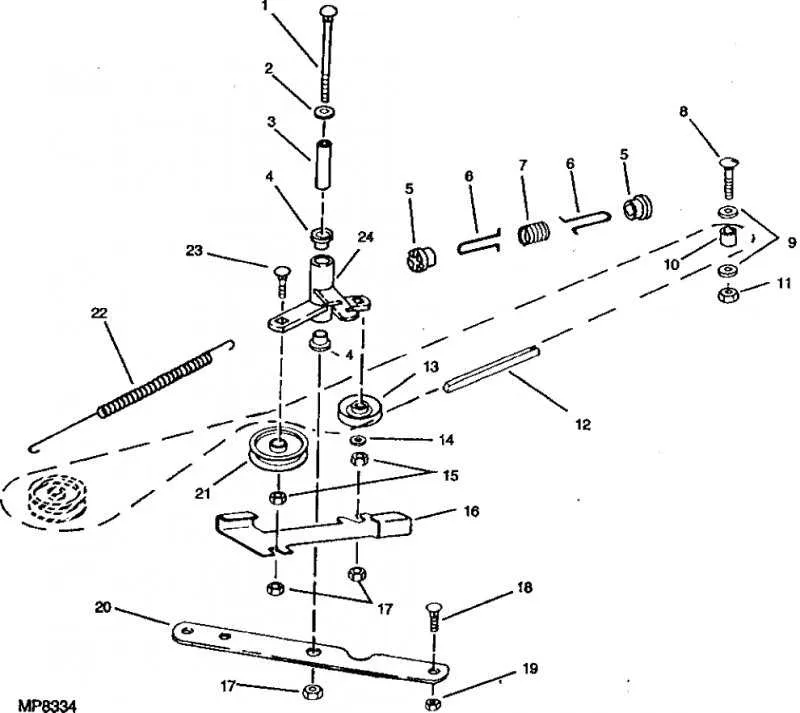
To ensure your John Deere 175 hydrostatic mower operates smoothly, understanding the drive belt system is crucial. If you’re replacing or adjusting the drive belt, a clear diagram can save you time and effort. Below is a detailed breakdown of how the hydro drive belt fits within the system.
The drive belt connects key components in the transmission, including the engine and the wheels, enabling power transfer for the mower to move. When replacing the belt, make sure to align it correctly along its intended path to avoid unnecessary wear or malfunction. Use the diagram to guide you through each step, ensuring the belt runs smoothly around pulleys and rollers.
Before starting, double-check that you have the correct replacement belt for the John Deere 175. A belt that’s too tight or too loose can affect performance and may cause premature damage. Also, inspect the surrounding parts for wear or debris that could obstruct the belt’s movement.
Refer to the belt diagram frequently during installation, as proper alignment ensures the longevity of the belt and the overall performance of your lawnmower. Taking the time to follow each detail will prevent future breakdowns and ensure your mower remains in top condition.
John Deere 175 Hydro Drive Belt Diagram
To replace or adjust the hydro drive belt on the John Deere 175, follow the diagram and step-by-step instructions below to ensure a smooth operation.
The hydro drive belt connects the engine to the hydrostatic transmission, allowing the mower to move forward and reverse. If you notice reduced performance or hear unusual sounds, it’s likely time to check the belt’s condition.
Steps for replacement:
- Park the mower on a flat, stable surface and turn off the engine. Disconnect the battery for safety.
- Remove the mower deck by loosening the necessary bolts and detaching any pins holding it in place.
- Locate the hydro drive belt on the underside of the mower. You may need to remove any covers for better access.
- Using the diagram, follow the path of the belt around pulleys and the hydrostatic transmission. Take note of the belt’s routing and tensioning system.
- To remove the old belt, release the tension by adjusting the spring-loaded idler pulley and carefully slide the belt off.
- Install the new belt by following the diagram’s routing guide. Ensure the belt is aligned correctly with all pulleys and is not twisted.
- Reattach any parts removed, including the mower deck and battery, and adjust the belt tension to prevent slippage.
Consult the diagram below to ensure correct belt routing. If the belt is still slipping or causing issues after replacement, check the pulleys for wear or damage, as they may need to be replaced as well.
How to Interpret the John Deere 175 Hydro Drive Belt Diagram
To read the John Deere 175 Hydro Drive Belt diagram, start by locating the drive components. Identify the engine pulley, which is typically the largest, and the hydrostatic transmission pulley. These are the key parts involved in the belt routing. Follow the belt path from the engine pulley to the hydrostatic transmission, noting any additional pulleys or tensioners along the way. Pay attention to the direction of the belt loops and the positions of the idler pulleys. These pulleys ensure proper tension and belt alignment, preventing slippage.
Next, look for any arrows or specific notations on the diagram. These often indicate the correct belt orientation or specify the angle at which the belt must fit. Some diagrams will include a sequence of numbers or letters, which correlate to a specific model or year of the John Deere 175. Double-check that the belt routing matches these references to ensure compatibility.
Take note of the belt tensioning mechanism. For the John Deere 175, this usually involves a spring-loaded tensioner that keeps the belt snug. If the belt appears to be too loose or tight, the tensioner may need adjustment. The diagram can help you identify the adjustment points or guide you through the replacement process if necessary.
After interpreting the diagram, verify the belt size and type. The diagram should provide information on the correct length and width of the drive belt. Make sure the replacement belt matches these specifications to avoid operational issues.
Lastly, always consult the John Deere 175 owner’s manual for any model-specific instructions. While the diagram provides a general guide, there may be slight variations depending on the year or configuration of your tractor. Following the diagram accurately ensures that the drive belt system operates smoothly, reducing wear and improving overall performance.
Steps for Replacing the Hydro Drive Belt on John Deere 175
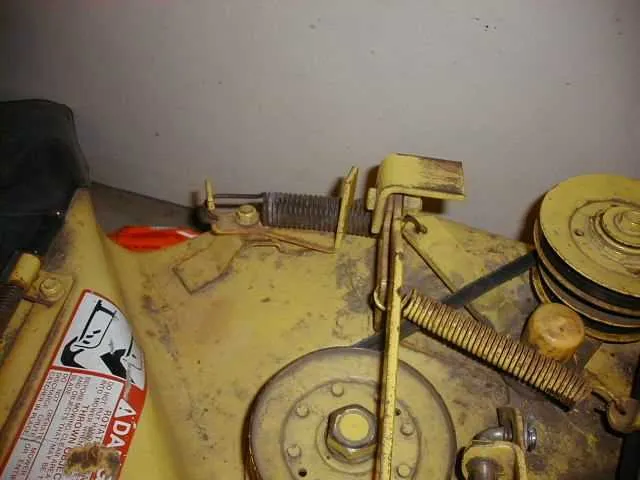
First, ensure the mower is on a flat surface and the engine is turned off. Disconnect the spark plug wire to prevent accidental starting.
Lift the mower deck. Use a jack or the mower’s lift lever to raise the front of the machine so you have easy access to the drive components.
Locate the hydro drive belt. It runs from the engine pulley to the transmission. Use a wrench to loosen the fasteners securing the belt guard or cover, then remove it.
Release the tension on the belt by adjusting the idler pulley. If your mower uses a spring-loaded idler, use pliers or a tool to relieve the spring tension before removing the belt.
Carefully slide the old hydro drive belt off the pulleys. Note how the belt fits around each pulley to ensure proper installation of the new belt.
Place the new hydro drive belt around the pulleys, following the same path as the old one. Be sure the belt is properly aligned with the pulleys and seated correctly on the grooves.
Reapply tension to the belt by adjusting the idler pulley back into position. Ensure the belt is taut but not overly tight.
Reattach the belt guard or cover. Tighten all fasteners securely, making sure the belt is not obstructed or rubbing against any parts.
Lower the mower deck back to its original position. Reconnect the spark plug wire and test the mower to ensure proper operation of the new hydro drive belt.
Common Issues with the Hydro Drive Belt and How to Troubleshoot
Loose or Worn Drive Belt
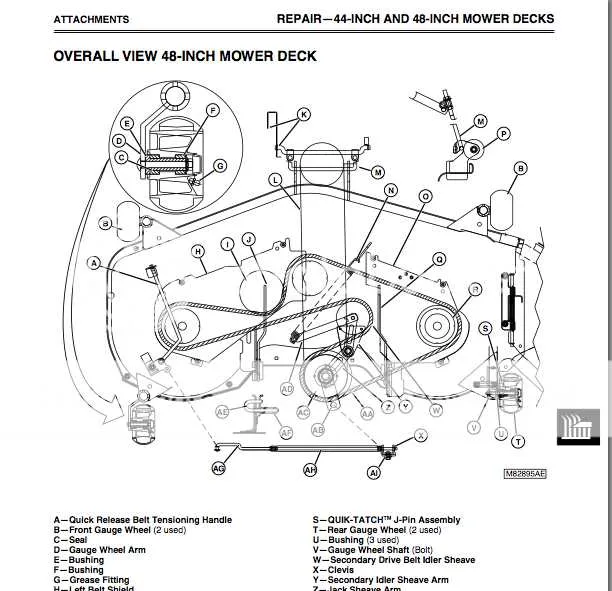
If the belt is loose or worn, it will not provide the necessary tension to drive the mower. Inspect the belt for signs of wear such as fraying, cracks, or thinning. To fix this, replace the belt with a new one of the same size and type. If the belt is loose but not worn out, you may need to adjust the tensioner pulley. Refer to the manufacturer’s diagram for the proper adjustment procedure.
Slipping Belt
A slipping belt can result in poor performance and a lack of power transfer. Check for debris buildup or oil leaks that may have caused the belt to slip. Clean the components thoroughly and ensure the belt is not excessively stretched. If the issue persists, inspect the pulleys for damage or misalignment.
Misaligned Pulleys
Pulleys that are out of alignment can cause uneven wear on the belt and lead to its premature failure. Use a level to check the alignment of the pulleys. Adjust or replace any components that appear misaligned. Proper pulley alignment ensures even wear on the belt and optimal function.
Clogged or Dirty Belt Path
A buildup of dirt, grass, or debris can obstruct the belt path, causing it to slip or get stuck. Regularly clean the area around the belt, pulleys, and tensioner. A clean belt path ensures smooth operation and prolongs the life of the belt.
Damaged Tensioner Spring
If the tensioner spring is worn out or broken, it can fail to keep the correct tension on the belt, causing it to slip or come off. Inspect the spring for signs of wear and replace it if necessary. A properly functioning tensioner spring is vital for maintaining the correct belt tension.
Incorrect Belt Installation
If the belt was not installed correctly, it might not align with the pulleys properly. Double-check the belt routing against the diagram in the owner’s manual to ensure it’s installed correctly. Improper installation can lead to slipping, wear, or damage to the belt.
Worn or Seized Pulleys
Pulleys that are worn or seized can prevent the belt from moving smoothly, causing performance issues. Check each pulley for smooth rotation. If any pulleys are seized or showing signs of wear, replace them promptly to avoid further damage to the belt.