Understanding Conveyor Belt Diagram and Its Practical Applications in Industry
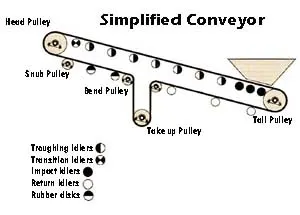
Designing a conveyor belt system begins with a detailed diagram to map out key components. Focus on drawing the path of the belt clearly, showing how materials will travel. Identify and label each critical part: the drive pulley, tension pulley, rollers, and belt. These elements are the foundation of the system and their proper placement is vital for efficient operation.
A good diagram also highlights how the belt interacts with its surroundings. Include directional arrows to illustrate material flow, ensuring that the movement of goods is easy to follow. This clarity helps engineers and operators troubleshoot potential issues and optimize the system for better performance.
For more complex setups, include additional details, such as intersections or multiple belts. Keep the diagram clean and organized, with a focus on functionality. A precise, well-constructed diagram can be the difference between a smooth-running operation and one with frequent delays or malfunctions.
Conveyor Belt Diagram
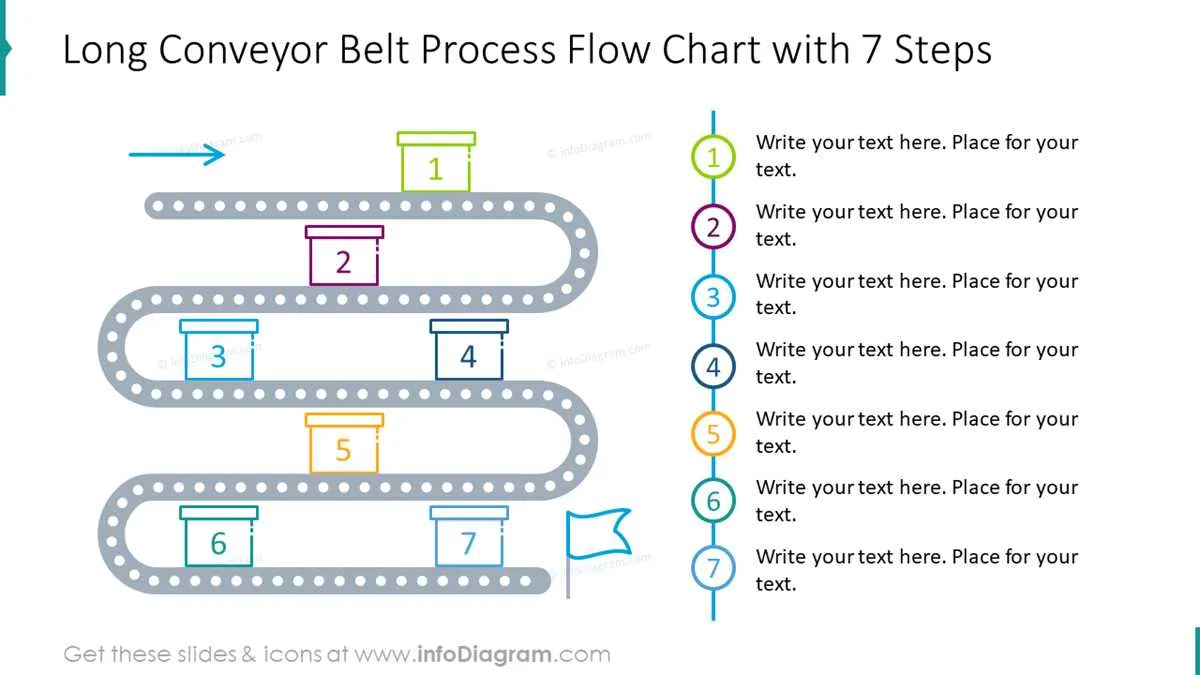
A conveyor belt diagram is a visual tool that illustrates the flow of materials or products along a production line or system. It is widely used in manufacturing, logistics, and various industrial sectors to optimize processes and enhance workflow. This type of diagram can help identify bottlenecks, streamline operations, and improve overall efficiency.
When creating a conveyor belt diagram, ensure to focus on the following aspects:
- Flow Direction: Clearly indicate the direction in which materials move. This helps in visualizing the process and identifying areas that may need adjustments.
- Components: Include key elements like belts, rollers, sensors, and motors. Label them accurately to avoid confusion.
- Stages of Operation: Break down the process into stages, such as loading, transport, sorting, and unloading. This makes it easier to pinpoint areas for improvement.
- Speed and Capacity: Represent speed variations along the conveyor, especially if different sections move at different rates. This can reveal inefficiencies or mismatched pacing.
By using a conveyor belt diagram, you can assess the system’s performance in real-time. This allows for better planning, more accurate troubleshooting, and informed decisions when redesigning or scaling the system.
For optimal use, update the diagram regularly to reflect any changes in the system. This ensures that the diagram remains a reliable reference as operations evolve.
How to Design a Conveyor Belt Diagram for Manufacturing Processes
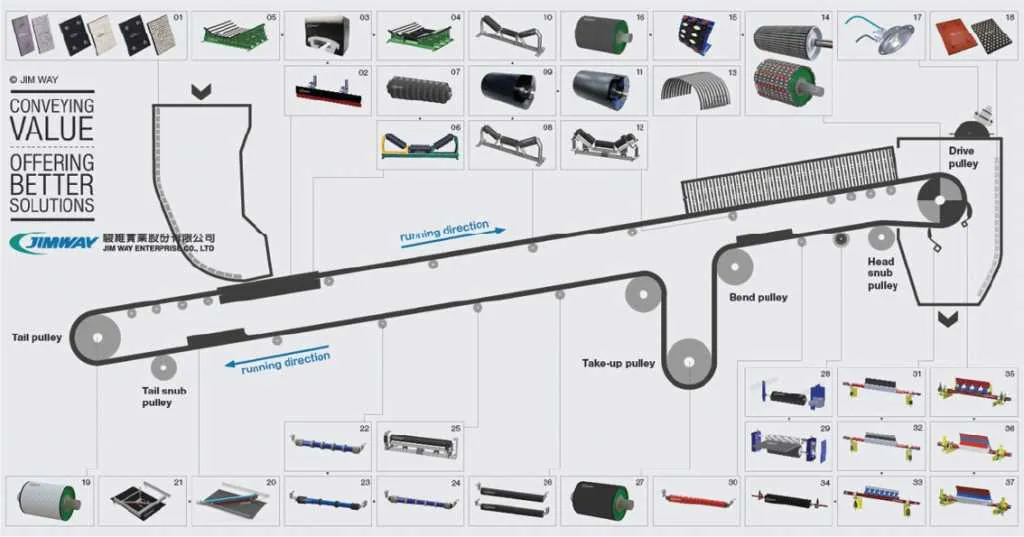
Focus on the flow of materials first. Identify the stages where products or components are transferred between processes, and mark the direction clearly. Use arrows to indicate the path of materials, avoiding any overlap or confusion between processes.
Incorporate key components of the conveyor system, such as rollers, motors, sensors, and stops. Each part should be represented with clear icons or symbols that are easy to understand at a glance. Ensure these symbols are consistent across the diagram for uniformity.
Use labels for each stage of the process. Include specific details like process name, machine type, or operation time. Keep labels concise and legible. Consider color coding different parts of the system to highlight their function, such as blue for conveyors, green for sensors, and red for motorized components.
Indicate input and output locations on the diagram. Mark where raw materials enter and finished products exit the system. This helps in understanding how materials move through the entire process and where bottlenecks might occur.
Ensure the flow is easy to follow. Avoid overly complex paths that might confuse operators or engineers. Keep the diagram simple, but include enough detail to provide clarity on the operation of each part of the conveyor system.
Finally, update the diagram regularly as modifications to the system occur. New components, re-routed paths, or other changes should be reflected quickly to maintain an accurate representation of the system.
Key Components to Include in a Conveyor Belt Diagram for Automation
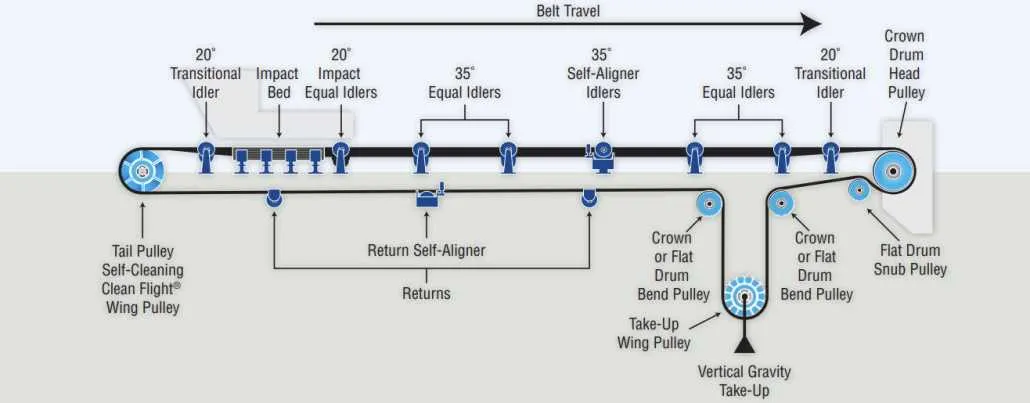
Begin by clearly showing the conveyor belt itself, typically represented as a long rectangular or oval shape, to illustrate the path of materials. Use arrows to indicate the direction of movement, ensuring it’s easy to track the flow of items from one point to another.
Next, include the drive system components. This typically consists of a motor, gearbox, and drive pulley. Use a motor icon to represent the power source, and make sure to connect it with lines or arrows to the drive pulley, which moves the belt. This visually communicates how the conveyor belt receives its power to move.
Conveyor rollers should be highlighted along the path. These small circles or cylinders represent the rollers that support the belt and help it move. They should be spaced at regular intervals, showing how they guide the belt while reducing friction.
Incorporate the idler rollers at the return side of the belt, which are often shown in a different color or style to distinguish them from the drive rollers. These help maintain belt tension and keep the belt from sagging.
Next, outline the support structure. This includes the framework or supports that hold the belt and its components in place. Use simple lines to represent the beams or supports, ensuring the diagram reflects how these structures support the weight of both the conveyor and the items it carries.
Don’t forget to add the control systems. This could include sensors, switches, or programmable logic controllers (PLCs) that regulate the movement or detect objects on the belt. Indicate these components with appropriate symbols, ensuring their connections to the drive motor are clear.
It’s also helpful to add a section for safety features, such as emergency stop buttons or safety guards. These elements should be clearly labeled to reflect their function in preventing accidents or interruptions.
For systems with advanced automation, include robotic arms or sorting devices positioned along the conveyor. These elements interact with the conveyor to either move or sort products, and should be shown with arrows indicating their operational role.
Finally, use labels and annotations for clarity. Each component should be properly named, and any specific parameters (e.g., belt speed or weight capacity) should be noted, providing additional context for how each part contributes to the automation process.
Common Mistakes in Conveyor Belt Diagram Creation and How to Avoid Them
One of the most common mistakes is failing to clearly define the flow of materials. Without a logical and straightforward path, the diagram becomes confusing and hard to follow. Make sure to use arrows and connectors that clearly indicate the direction of material movement.
Avoid overcrowding the diagram with unnecessary details. Including too many elements can lead to a cluttered design, making it difficult for users to focus on the key information. Stick to the most critical components and ensure each element serves a purpose.
Incorrect scaling of conveyor belt sections can cause disproportionate or unrealistic representations. Ensure all elements are to scale, especially if the diagram is used for practical planning. A misrepresentation of sizes can mislead users, resulting in inaccurate conclusions.
Neglecting to account for space between different conveyor segments is another mistake. It’s easy to assume belts should flow seamlessly, but gaps between components should be considered for maintenance or adjustments. Leave adequate space to represent real-world conditions.
Overcomplicating the diagram by using too many different symbols can confuse users. Stick to a minimal set of symbols and keep their meanings clear and consistent. A diagram with too many types of lines or shapes risks losing its clarity.
Finally, neglecting to label components appropriately is a critical oversight. Each part of the conveyor system should be clearly identified with a label or description. Failure to do so will leave users guessing about the diagram’s purpose or specific elements.