Ariens Ikon XD 52 deck belt diagram with parts placement and routing guide
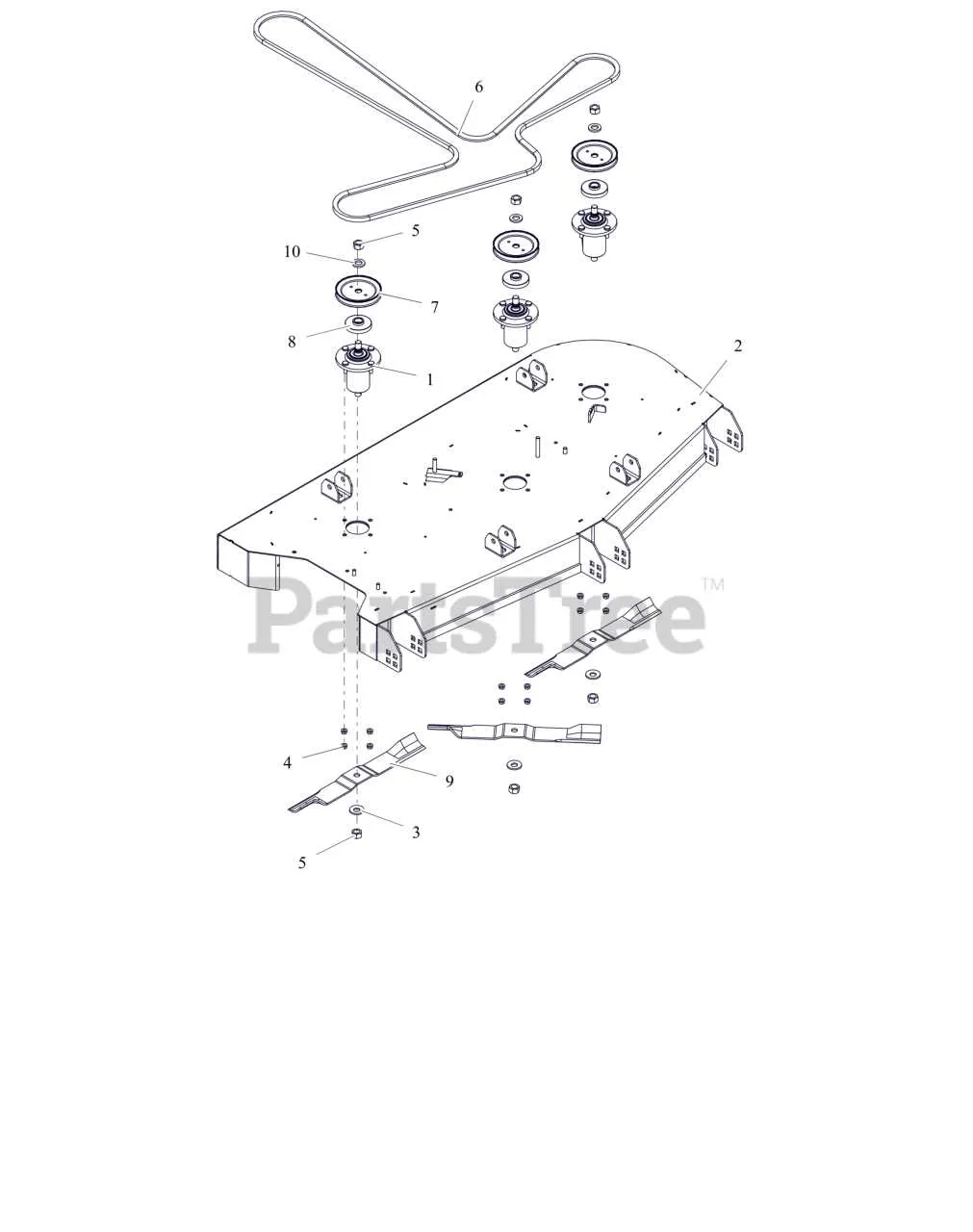
If the Ariens Ikon XD 52 mower stops cutting evenly or the blades fail to engage, checking the deck belt routing should be the first step. The diagram shows the exact placement of the belt around pulleys and spindles, helping to restore correct tension and smooth operation.
The belt must wrap around the PTO pulley, idler pulleys, and blade spindles in a specific order. Any deviation from the correct path reduces cutting performance and accelerates wear. Using the diagram ensures that the belt sits in the grooves properly and aligns with factory specifications.
Always install a belt with the correct part number for the Ariens Ikon XD 52, as slight size differences can cause slippage. After routing, check for sharp bends, twisted sections, or contact with deck edges. A properly routed belt will move freely, engage smoothly, and maintain consistent blade speed.
Keep the diagram available during maintenance, whether replacing a worn belt or reassembling after cleaning the mower deck. This simple reference saves time, prevents mistakes, and keeps the mower cutting with maximum precision.
Ariens Ikon XD 52 Deck Belt Diagram
Check the diagram before replacing the deck belt to avoid routing mistakes. The Ariens Ikon XD 52 uses a belt that runs around the PTO pulley, spindle pulleys, and idler pulleys in a precise path. The correct routing ensures consistent blade speed and prevents belt slippage during mowing.
Begin at the PTO pulley, loop the belt around it, then guide it toward the left and right spindle pulleys. From there, pass it through the flat idler pulley and spring-loaded tensioner pulley. The belt should remain tight with no twists along the path. A misaligned setup leads to uneven cutting and premature wear.
Inspect the belt for cracks or glazing while following the diagram. If the belt shows wear, replace it with Ariens OEM part number 07200711 for the 52-inch deck. Using the correct belt length and width maintains proper tension and protects the pulleys.
After routing the belt, engage and disengage the PTO lever with the engine off to confirm smooth tensioning. Adjust the spring if the belt feels loose, and recheck pulley alignment. Keeping the belt properly installed based on the diagram prevents downtime and extends mower performance.
Step-by-Step Belt Routing for Ariens Ikon XD 52 Deck
Place the belt around the PTO clutch pulley at the engine shaft first. Keep the belt flat and avoid twisting during this step.
Guide the belt along the right-side idler pulley, making sure the V-groove of the pulley faces the belt correctly. Pull the belt tight enough to stay in position while routing the rest.
Wrap the belt around the spindle pulleys on both sides of the deck. The flat side of the belt should contact flat pulleys, while the V side should match V pulleys for proper grip.
Route the belt around the left-side idler pulley, keeping steady tension. Ensure the belt aligns evenly across all pulleys without any offset.
Check the belt path against the deck diagram printed on the mower frame or user manual. Adjust the belt tension by engaging the deck lever and verifying smooth rotation of pulleys.
Spin the blades manually to confirm the belt runs freely. If resistance or misalignment occurs, re-seat the belt and check pulley orientation again before operation.
How to Identify and Replace the Correct Belt Size
Check the model number printed on the frame of your Ariens Ikon XD 52 and compare it with the parts list in the official manual. This step ensures you order the belt that matches your mower’s deck configuration.
Measure the current belt if the label is unreadable. Use a flexible tape to record the full circumference and note the width. The Ikon XD 52 typically uses a deck belt around 152 inches in length and 5/8 inch in width, but always confirm with your serial number.
Inspect the pulleys and tensioner before installing a new belt. Worn or misaligned components shorten the lifespan of the replacement. Clean debris from the deck area to prevent premature wear.
Route the new belt according to the diagram under the mower’s seat or in the service manual. Make sure the V-side of the belt fits into pulley grooves while the flat side runs against idlers. Apply tension gradually and check that the belt sits evenly without twists.
After installation, engage and disengage the blades at low throttle to verify smooth movement. Recheck belt tension after the first mowing session to confirm it has settled correctly.
Troubleshooting Common Belt Installation Mistakes
Check the belt routing first. A frequent mistake is placing the belt on the wrong side of an idler pulley, which changes tension and causes slipping. Compare each pulley position with the diagram before tightening anything.
- Twisted belt: Lay the belt flat on the ground before installation. If it looks twisted on the mower, remove it and re-route carefully.
- Incorrect pulley alignment: The flat side of the belt should contact flat idlers, while the V-side should sit inside grooved pulleys. Reversing this leads to rapid wear.
- Overtightened tension spring: Excessive tension strains the bearings. Make sure the spring connects to the proper hole as shown in the deck diagram.
- Loose fit: If the belt feels slack, confirm that it’s the correct size (Ariens Ikon XD 52 requires the factory-specified belt). Using an alternative size usually causes disengagement issues.
After installation, rotate the pulleys by hand to ensure smooth movement without binding. If the belt jumps out of place during this test, recheck routing immediately. Small corrections now prevent breakdowns under load.