John Deere X330 Belt Diagram with Clear Routing and Installation Guide
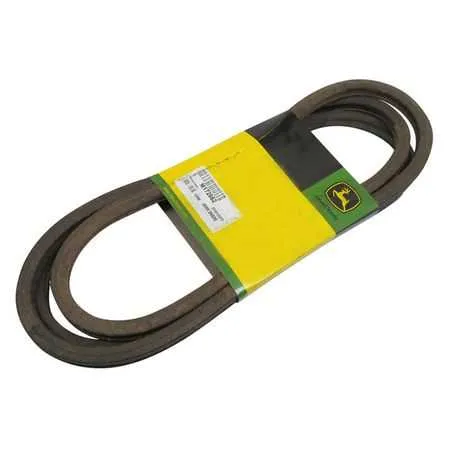
Check the routing of the mower deck belt before adjusting tension, as incorrect alignment is the most common cause of slipping and uneven cutting. The John Deere X330 uses a deck drive belt that loops around the PTO pulley, idler pulleys, and blade spindles, forming a precise path that must be followed for proper operation.
Inspect each pulley for wear and confirm that the belt sits fully in the grooves without twisting. A worn or cracked belt reduces power transfer to the blades, so replace it immediately when you notice fraying edges or glazing. Use the OEM belt size recommended by John Deere, as alternative lengths can cause tensioning issues.
When reinstalling, apply steady pressure to the tensioner arm to create enough slack for routing. Once the belt is in place, release the arm slowly and check that the spring maintains constant pressure. Spin the pulleys by hand to confirm smooth rotation and proper tracking before engaging the mower deck under load.
John Deere X330 Belt Diagram
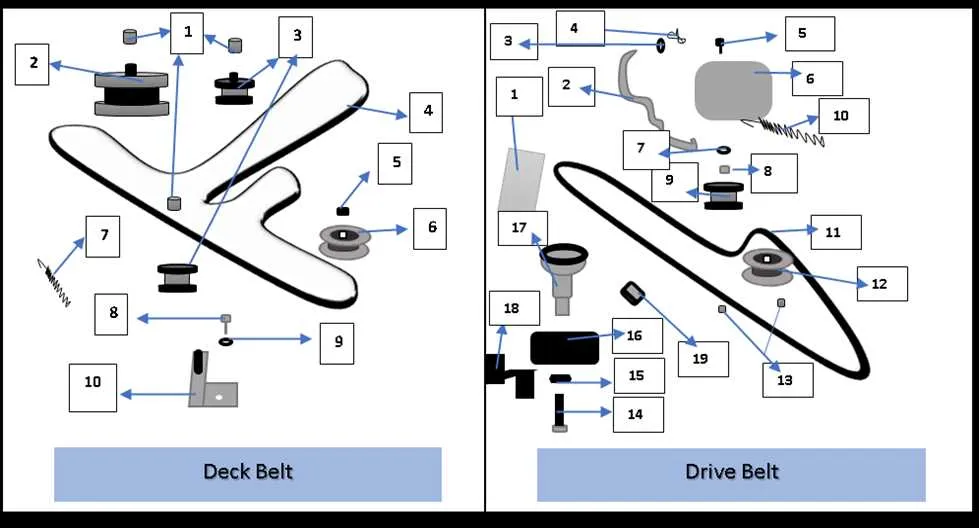
Follow the belt diagram of the John Deere X330 to route the mower deck belt correctly and avoid tension problems. The diagram shows how the belt loops through pulleys, idlers, and the tensioner to drive the blades smoothly.
For accurate installation, use these steps:
- Place the belt around the engine pulley first.
- Route it along the flat idler pulleys, keeping the ribbed side against grooved pulleys.
- Guide the belt through the spring-loaded tensioner last, ensuring proper alignment.
Pay attention to the following details during installation:
- Keep the belt tight without twisting or crossing.
- Check that the belt rides fully inside pulley grooves.
- Confirm the tensioner spring holds steady pressure on the belt.
A correct belt path prevents premature wear and ensures the mower deck operates at full cutting capacity. After routing, rotate the pulleys by hand to confirm smooth movement before starting the engine.
How to Locate and Read the Belt Routing Diagram on John Deere X330
Check the underside of the mower deck first, as the factory often places the belt routing diagram on a decal near the pulleys. If the decal is not present or has worn off, open the operator’s manual where a clear diagram of the X330 belt layout is included in the maintenance section.
When reading the diagram, follow the arrows that indicate belt direction around each pulley. Pay close attention to the distinction between idler pulleys and drive pulleys, since routing the belt incorrectly can cause slippage or uneven cutting. The diagram shows the belt wrapping around the engine pulley, routed through flat idlers, and around the mandrel pulleys before returning to the starting point.
If the diagram is missing and the manual is unavailable, John Deere’s official website provides downloadable PDF manuals with the correct X330 belt configuration. Printing this page or keeping it on a mobile device near the mower simplifies the replacement process and reduces installation mistakes.
Step-by-Step Process for Replacing the Mower Deck Belt
Park the John Deere X330 on a flat surface, set the parking brake, and remove the ignition key. Lower the mower deck completely to the ground for easier access.
Release the belt tension by pulling the idler arm spring outward. Slide the old belt off the pulleys, starting from the engine pulley and moving toward the deck spindles. Check the pulleys and idler wheels for debris or wear before installing the new belt.
Route the new belt according to the John Deere X330 belt diagram. Make sure the belt sits properly inside each pulley groove and does not twist. Reattach the tension spring to restore proper pressure on the belt.
Rotate each pulley by hand to confirm smooth movement and correct belt alignment. Raise the mower deck slightly, then start the engine at low throttle. Engage the blades briefly to test the installation, watching for vibration or slipping. Shut off the engine and make final adjustments if needed.
Common Belt Alignment and Tension Problems with Practical Fixes
Check belt tracking first; a belt riding off-center usually indicates worn or misaligned pulleys. Replace bent idler arms and tighten pulley bolts to restore proper alignment.
If the belt slips during mowing, measure the spring tension on the idler arm. A stretched spring cannot hold the belt tight and must be replaced with a John Deere OEM part of the correct specification.
Inspect pulleys for debris or uneven wear. Clean grooves thoroughly and replace pulleys with sharp edges or flat spots, as they quickly damage a new belt.
Watch for uneven belt wear, which often means one pulley is out of plane. Use a straightedge across multiple pulleys to verify alignment, then adjust or replace brackets as needed.
If the belt makes squealing noises, check tensioner bearings. Worn bearings increase friction and reduce proper belt grip; replacement is the only reliable fix.