John Deere X300 Drive Belt Diagram and Installation Guide
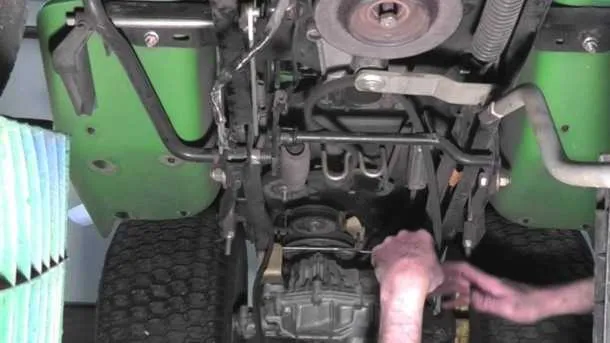
Understanding the drive belt diagram for your John Deere X300 will save you time and effort when performing maintenance. The drive belt is a critical component that ensures proper power transmission from the engine to the mower deck, and knowing its layout helps with quick replacements and troubleshooting. Follow the detailed diagram and instructions to ensure smooth operation of your lawn tractor.
First, check the belt routing and positioning carefully. The John Deere X300 uses a serpentine belt system, where the belt wraps around pulleys, tensioners, and the mower deck to operate efficiently. Refer to the diagram for a clear view of the exact path the belt should follow. Proper alignment prevents wear and tear, making sure the mower runs smoothly.
When replacing the drive belt, always disconnect the battery before starting. This will prevent accidental starts and protect you from any electrical hazards. Next, remove the old belt by loosening the tensioner. The tensioner is usually spring-loaded, so use the appropriate tools to release it. Once the belt is removed, compare the new one with the diagram to ensure correct sizing and placement.
After installing the new belt, adjust the tension to make sure it’s not too tight or too loose. You can find the correct tensioning procedure in the owner’s manual. Finally, test the mower’s operation by starting the engine and engaging the drive system. Listen for any unusual noises, which may indicate a misalignment or improper installation.
John Deere X300 Drive Belt Diagram
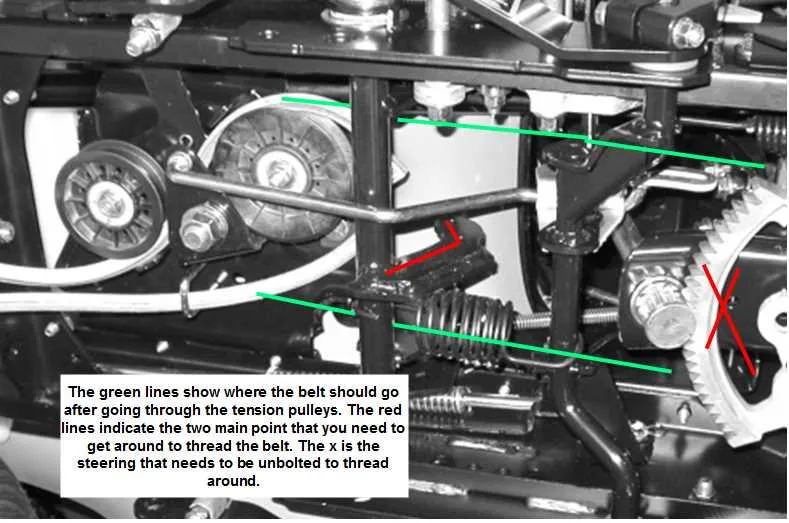
For easy maintenance and repairs on the John Deere X300 lawn tractor, refer to the drive belt diagram. This diagram helps in accurately identifying the routing and components involved in the belt system.
To replace or inspect the drive belt, follow these steps:
- Lift the seat and remove the battery cover for better access to the engine compartment.
- Disconnect the negative battery terminal to avoid any electrical accidents.
- Remove the mower deck by unbolting the necessary fasteners and detaching the belt from the pulleys.
- Check the condition of the belt for any wear or damage. If replacing, remove the old belt by releasing the tension from the spring-loaded idler pulley.
- Route the new belt according to the diagram. Start by fitting the belt over the engine pulley, followed by the idler pulleys, and finally the rear transmission pulley.
- Ensure the belt is aligned properly and has the correct tension. Reinstall the mower deck and battery cover once the job is complete.
Refer to the detailed diagram below to ensure correct routing:
- Engine Pulley
- Idler Pulley (Spring-loaded)
- Transmission Pulley
- Mower Deck Pulley
Following the diagram prevents misalignment, which can lead to premature wear or malfunction of the belt system. Regularly inspect the drive belt to keep your John Deere X300 running smoothly.
How to Replace the Drive Belt on a John Deere X300
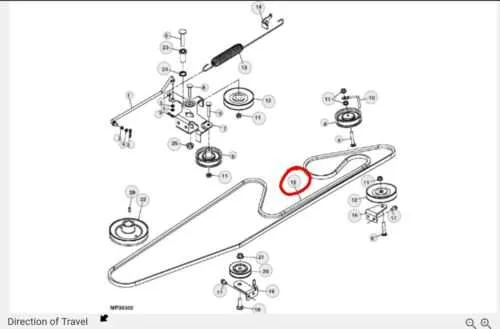
To replace the drive belt on a John Deere X300, first disengage the mower deck and turn off the engine. Disconnect the battery to prevent any accidental starts. Lift the front of the tractor using a jack or similar support, ensuring it is stable before proceeding.
Remove the mower deck by unfastening the four mounting bolts. This will allow easier access to the drive belt system. Carefully examine the current belt placement by consulting the user manual or a belt diagram specific to the X300. Take note of how the belt runs through the pulleys and idlers for correct reinstallation.
Loosen the tensioner to relieve the pressure on the belt. This will allow you to slip the old belt off the pulleys. If the belt is worn out, cracked, or damaged, replace it with a new one of the same specifications. Be sure the new belt is positioned correctly along the pulleys, following the same routing pattern as the old one.
Once the new belt is in place, adjust the tensioner back into position. Check the belt’s alignment and ensure there’s no slack. Reinstall the mower deck and secure it with the mounting bolts. Reconnect the battery and perform a quick test by starting the engine to verify that the new belt operates smoothly.
Double-check the belt’s tension and make adjustments if necessary. If the belt runs too loose or too tight, it may cause premature wear or affect performance. Regularly inspect the belt for signs of wear to keep your John Deere X300 running efficiently.
Understanding the John Deere X300 Drive Belt Routing
The John Deere X300 drive belt routing is straightforward but requires attention to detail to ensure proper performance. Start by positioning the belt around the engine pulley, then loop it around the transmission pulley. The belt must pass through the idler pulleys with the correct tension, ensuring smooth power transfer between components. Ensure the belt routing follows the manufacturer’s guide, as any misalignment can cause wear or belt slippage.
When routing the drive belt, check the direction of the pulleys. The engine pulley should drive the belt toward the transmission. Make sure the belt wraps around the large pulley first before heading to the smaller ones. Each pulley serves a specific role, including maintaining belt tension and transferring power to the wheels. Double-check the tensioner’s position–if it’s not aligned, the belt may not engage properly, leading to operational issues.
To simplify the process, reference the diagram in the owner’s manual. The diagram shows how the belt should weave through each pulley. It is essential to replace the belt if it shows signs of wear, as a worn belt can slip, causing loss of power or even damaging the engine components.
Common Issues with the John Deere X300 Drive Belt and Solutions
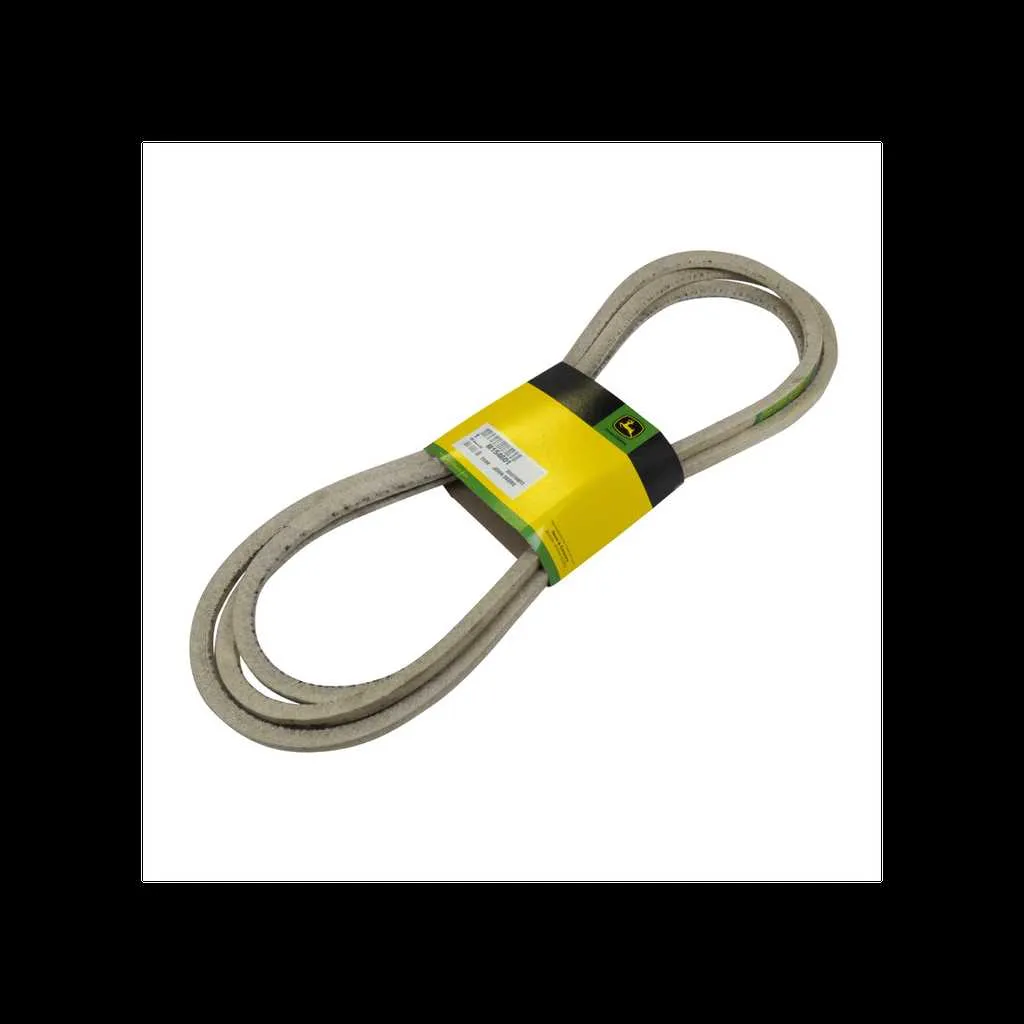
If the drive belt on your John Deere X300 isn’t functioning smoothly, inspect these common issues and their fixes:
Belt Slipping or Squealing – This happens when the belt loses grip on the pulleys. Check for worn pulleys or misalignment. Clean the pulleys and ensure they spin freely. If the belt is worn, replace it with an OEM part to restore optimal performance.
Belt Breakage – A snapped drive belt typically results from excessive wear or misalignment. Regularly inspect the belt for cracks or fraying. If the belt shows signs of damage, replace it immediately. Also, check the tensioner pulley to ensure it’s providing proper tension.
Belt Off Track – The belt may jump off if the pulleys are misaligned or if debris blocks the path. Inspect the pulleys and clean any debris. Realign the pulleys if necessary, and ensure the belt is properly routed according to the manufacturer’s diagram.
Belt Tension Issues – Too much or too little tension can cause the belt to malfunction. A faulty tensioner spring can lead to inconsistent tension. If the belt is too loose, replace the spring. Tighten the belt to the recommended tension using the adjustment procedure in the manual.
Belt Wear and Tear – Over time, belts naturally wear out. Inspect for fraying, glazing, or cracking. Replace the belt if you see significant damage to ensure smooth operation. Regularly clean the area around the belt to prevent debris buildup.
Pulley Damage – A damaged pulley can cause belt misalignment or uneven wear. Inspect the pulleys for cracks or broken teeth. Replace any damaged pulleys to prevent further damage to the belt and improve performance.
Address these issues promptly to ensure your John Deere X300 operates smoothly and efficiently. Regular maintenance and early detection of problems can prevent more costly repairs in the future.