John Deere 54 Inch Mower Deck Belt Diagram with Routing and Installation Guide
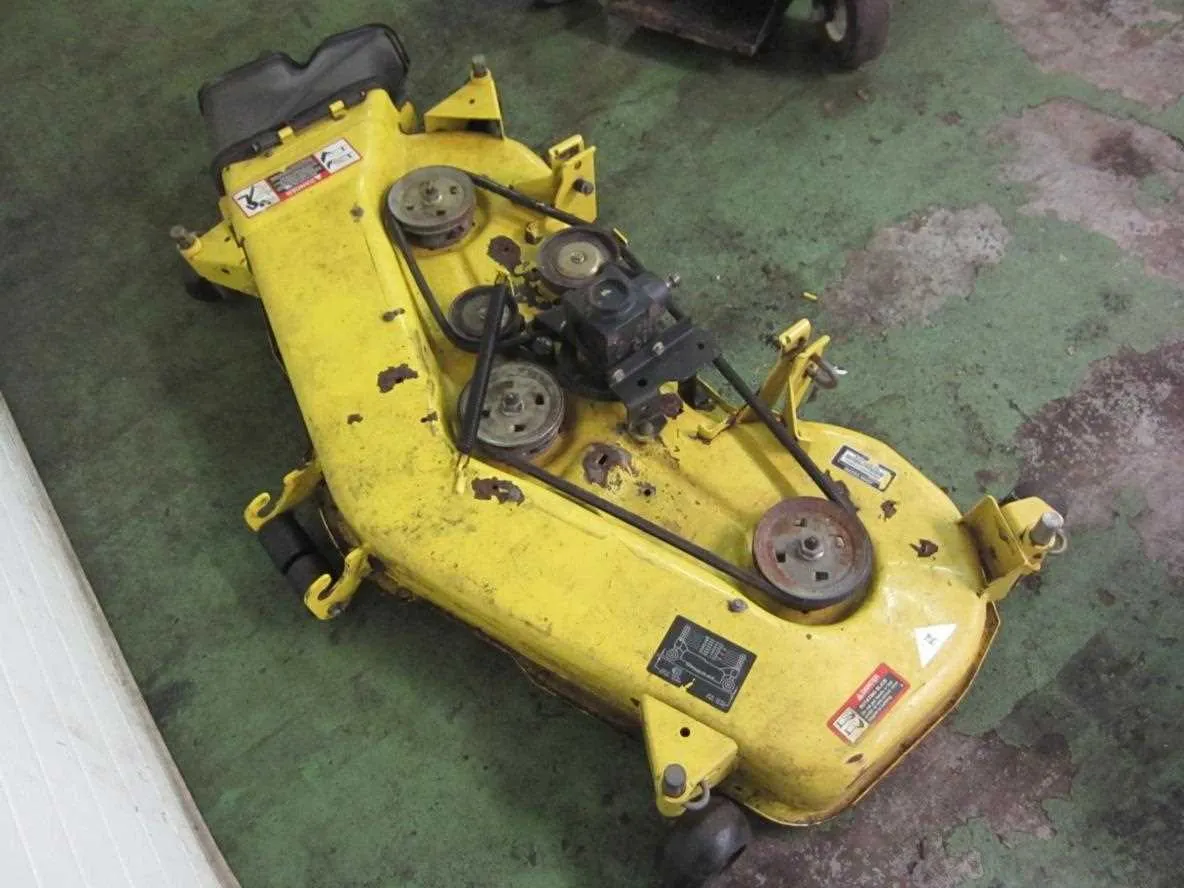
Check the routing of the belt on the John Deere 54-inch mower deck before replacing it. A correct diagram helps prevent misalignment, uneven cutting, and premature belt wear. The belt passes through a series of pulleys that guide and maintain tension, so following the exact path is the first step to smooth operation.
The diagram usually shows the belt starting at the engine pulley, then running around spindle pulleys and idlers. Each pulley has a specific role: spindles transfer power to the blades, while idlers keep the belt tight. A wrong path causes slippage or blade stoppage, which can damage the deck and reduce mowing quality.
Before installation, inspect pulleys and tensioners for debris or wear. A clean and aligned setup ensures that the new belt lasts longer. Using the diagram as a visual reference during installation minimizes errors and speeds up the process. Always match the belt size with the exact John Deere model to avoid compatibility issues.
A clear diagram is more than just a picture–it’s a step-by-step guide for correct assembly. Keep a copy handy while working on the mower deck, and double-check each pulley route before tightening the belt. This practice saves time, prevents costly mistakes, and guarantees consistent performance during mowing.
John Deere 54 in Mower Deck Belt Diagram
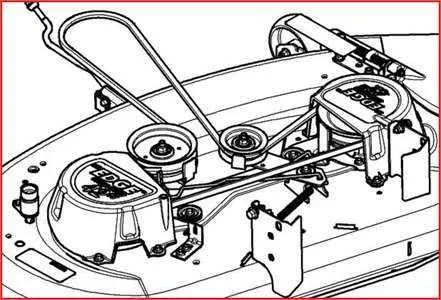
Check the belt routing carefully before removing the old belt. The 54-inch deck uses a continuous belt that loops around the center drive pulley, idler pulleys, and the three blade pulleys. A common mistake is skipping the spring-loaded idler, which keeps the correct tension.
Step 1: Place the belt around the center drive pulley connected to the engine PTO clutch.
Step 2: Route the belt to the left and right blade pulleys, making sure the grooved side of the belt stays against the pulley channels.
Step 3: Guide the belt around the flat idler pulleys on each side. These pulleys redirect the belt and help maintain alignment.
Step 4: Slip the belt through the spring-loaded tensioner pulley last. Use a wrench on the tensioner arm to release pressure and allow the belt to seat correctly.
After installation, spin each blade by hand to confirm free movement and proper routing. Always double-check the belt diagram printed on the deck housing if available, as pulley placement may vary slightly between model years.
Correct Belt Routing for John Deere 54 Inch Deck
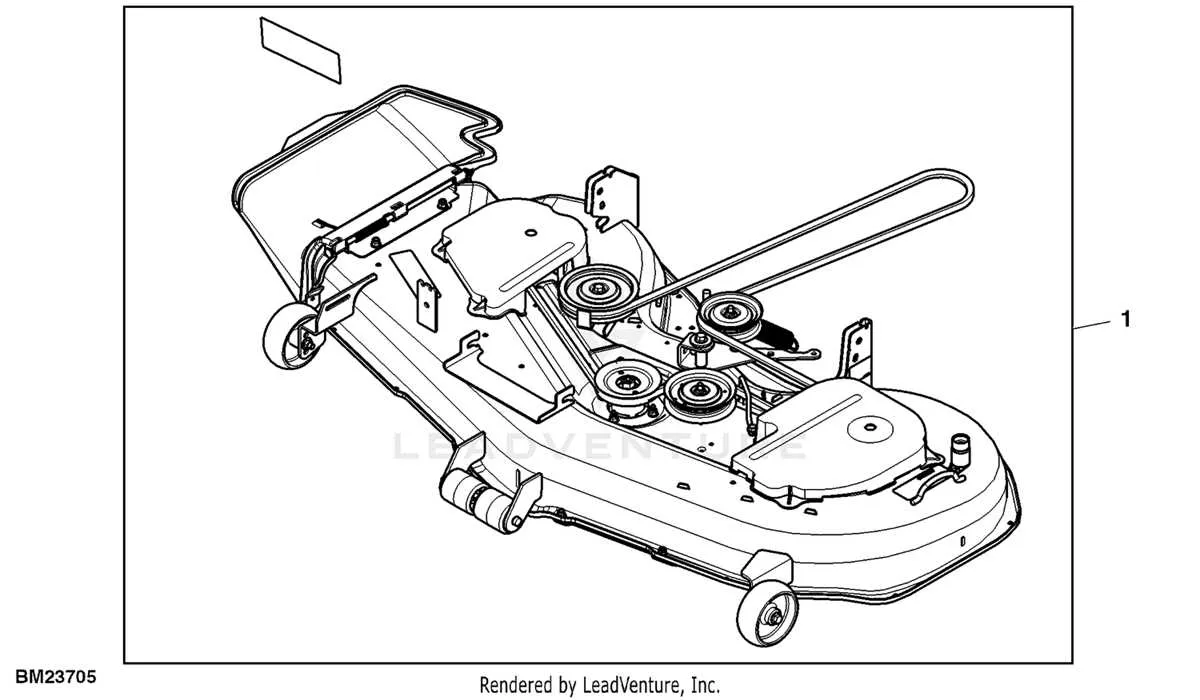
Route the belt around the PTO drive pulley first, keeping the V-side of the belt in the pulley groove. Guide it toward the right spindle pulley, then wrap it around the center spindle before leading it to the left spindle pulley. Make sure the flat side of the belt rests against the idler pulleys, while the V-side always runs in spindle pulleys.
Keep steady tension by threading the belt around the flat idler and then the spring-loaded idler. The spring arm should pull the belt tight once released, holding proper alignment. Check that the belt sits fully in each groove and doesn’t ride on pulley edges.
After routing, rotate the blades by hand to confirm smooth movement without binding. Adjust the tension arm if slack remains. A correctly routed belt maintains cutting consistency, reduces wear, and prevents slippage during heavy mowing.
Steps to Replace the Belt on a 54 Inch Mower Deck
Park the mower on a flat surface, set the parking brake, and disconnect the spark plug wire for safety.
- Lower the mower deck to its lowest position and remove the belt covers on both sides using a socket wrench.
- Release tension from the idler pulley by pulling the tensioning arm, then slide the old belt off the pulleys.
- Inspect pulleys and spindles for wear or debris before installing the new belt.
- Route the new belt according to the diagram: around the spindle pulleys, across the idler pulleys, and finally around the drive pulley at the engine.
- Ensure the belt sits evenly in each pulley groove without twists.
- Reapply tension by releasing the idler arm and verify the belt has firm but not excessive tightness.
- Reinstall the belt covers, raise the deck, and reconnect the spark plug wire.
Run the mower briefly at low throttle and check belt tracking before regular use.
Common Problems with 54 Inch Deck Belts and How to Fix Them
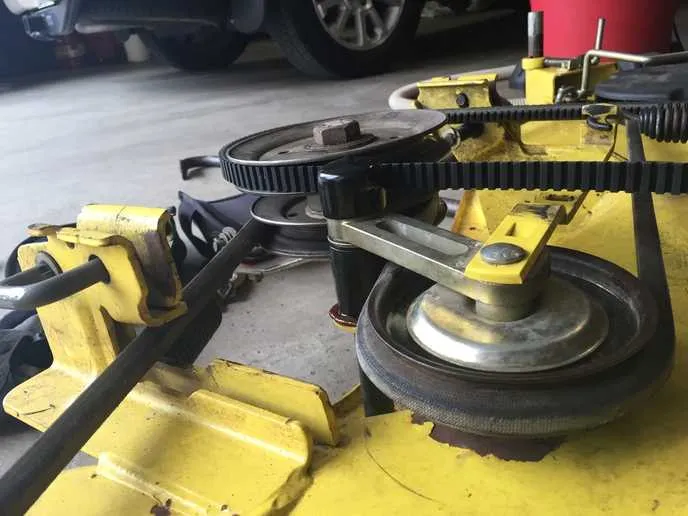
Check belt tension first, because a loose fit often causes slipping and uneven cutting. Adjust the idler pulley until the belt feels snug without over-stretching. A belt that is too tight wears faster and strains bearings.
Inspect pulleys for sharp edges or rust. Rough surfaces shred belts quickly. Replace any pulley that shows grooves or wobbling. Keeping pulleys clean and aligned prevents most failures.
Look for cracks, fraying, or glazing on the belt surface. Heat buildup usually leaves a shiny glaze, which reduces grip. Replace the belt immediately instead of trying to reuse it, as it will fail under load.
Check for debris buildup around the deck. Grass and dirt can block pulleys and force the belt off track. Cleaning the housing regularly extends belt life.
| Problem | Cause | Fix |
|---|---|---|
| Belt slipping | Loose tension or worn idler pulley | Adjust pulley arm and check spring tension |
| Belt breaking | Sharp pulley edges or misalignment | Replace damaged pulleys and align deck |
| Belt jumping off | Debris buildup or bent brackets | Clean deck area and straighten brackets |
| Belt glazing | Excessive heat from slippage | Install new belt and adjust tension correctly |
Replacing a worn belt with the correct OEM part ensures proper fit and longer service life. Using belts designed for the 54 inch John Deere deck prevents repeated failures and keeps the mower cutting evenly.