John Deere X350 48 Inch Deck Belt Diagram and Maintenance Tips
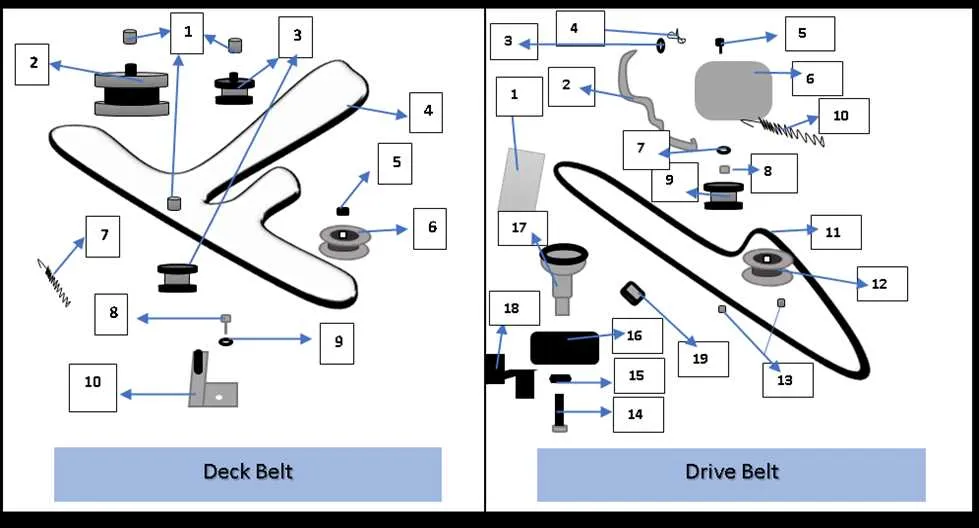
To replace or repair the belt on your John Deere X350 with a 48-inch deck, it’s crucial to have a clear understanding of the belt routing and components involved. The belt is responsible for powering the deck’s pulleys, which in turn engage the cutting blades. Incorrect routing or damage to the belt can affect the mower’s performance and potentially lead to further mechanical issues.
The diagram for the 48-inch deck belt is designed to help you identify the exact path the belt takes through various pulleys and tensioners. Follow the diagram closely to ensure the belt is properly aligned and secured. Make sure to check the condition of the belt during replacement, as any signs of wear or cracking should prompt an immediate change.
Pay attention to the specific tensioner springs that control the belt’s tightness. They are integral for maintaining the correct belt tension, which prevents slippage and wear. After installing the new belt, verify the tension by checking the slack. If the belt feels too loose or too tight, it may need adjustment.
John Deere X350 48 Inch Deck Belt Diagram
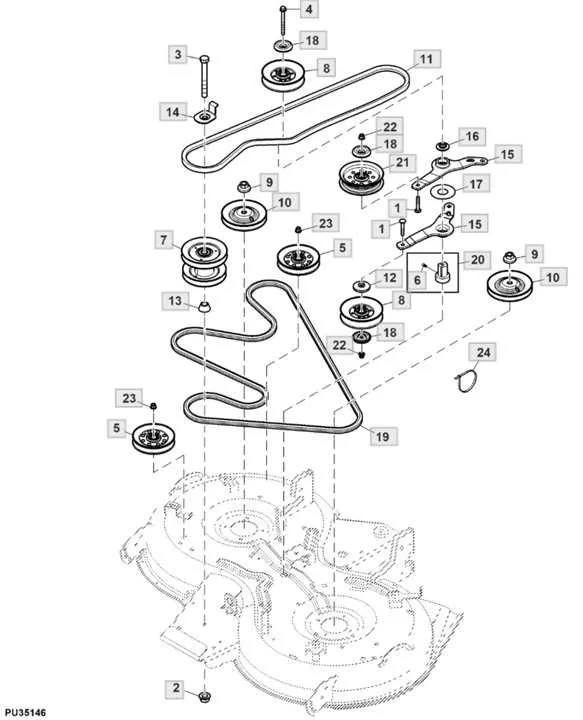
The John Deere X350 uses a specific belt configuration for its 48-inch deck. Understanding the proper routing of the deck belt is critical to ensuring smooth operation and avoiding potential issues. Below is a breakdown of the belt routing process, designed to help you replace or adjust the belt efficiently.
- First, make sure the mower is turned off, the parking brake is engaged, and the engine is completely cool.
- Locate the deck belt on the underside of the mower. The belt should wrap around the engine pulley, idler pulleys, and deck spindles.
- Check the path of the belt for wear, cracks, or fraying. If any damage is found, it’s important to replace the belt immediately.
To begin the replacement or adjustment:
- Remove the deck from the mower frame for easier access to the belt. You may need to unclip the deck lift arms or disconnect any attached cables.
- Loosen the idler pulleys using a wrench to relieve tension on the belt. This allows for easier removal.
- Once the belt is loose, carefully remove it from all pulleys and spindles.
- Before installing the new belt, compare it with the old one to ensure it’s the correct size and type. Refer to the John Deere X350 manual for the exact belt specifications.
- Install the new belt by following the exact routing pattern shown in the manual or diagram. Make sure the belt is securely in place on each pulley.
- Reassemble the deck and ensure all components are tightened and locked in place. Test the belt tension to make sure it’s correctly adjusted.
Always follow the manufacturer’s specifications for belt tension and routing to avoid further complications. Proper maintenance will extend the life of the mower and prevent unexpected breakdowns.
Step-by-Step Guide to Replacing the Belt on the 48 Inch Deck
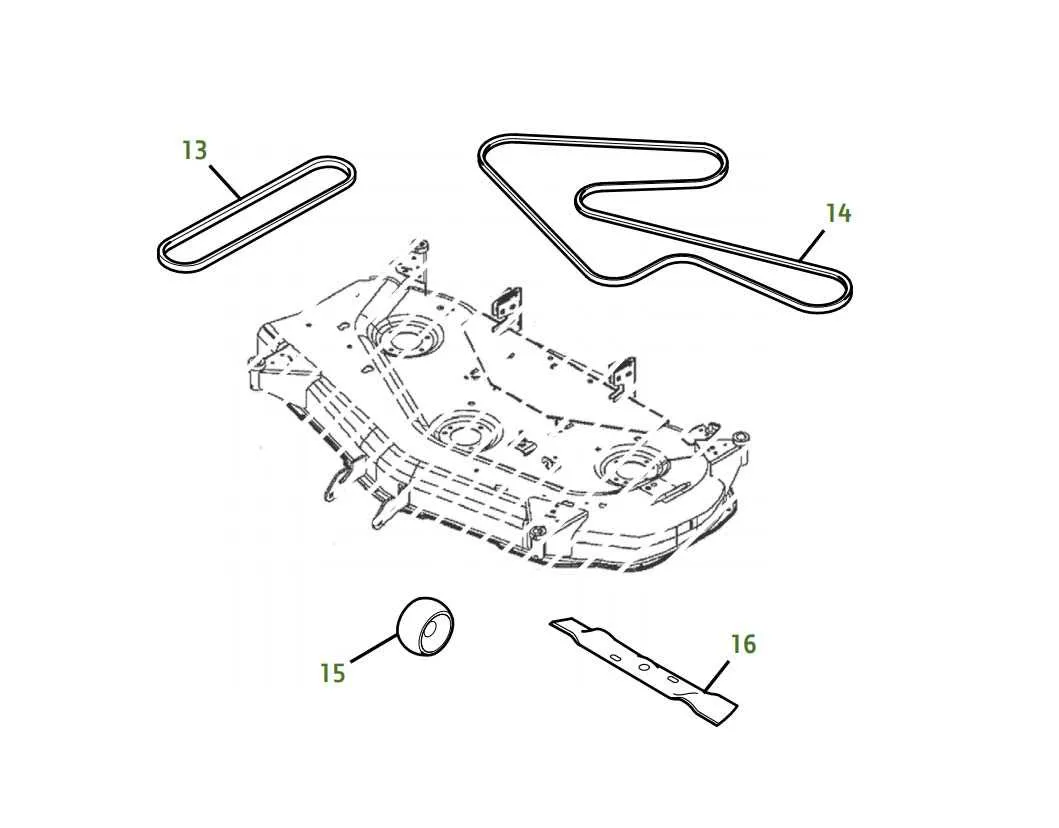
1. Safety First: Before starting, ensure the engine is off and the mower is on a flat surface. Remove the key from the ignition to prevent accidental starts.
2. Raise the Mower Deck: Use the height adjustment lever to raise the deck to its highest position. This will give you more room to work with the belt and pulleys.
3. Remove the Deck: Disconnect the deck from the mower by loosening the attachment bolts. Carefully slide the deck out from under the mower to access the belt and pulleys.
4. Locate the Belt: Identify the belt routing diagram on the deck or in the operator’s manual. This will show the correct path the belt follows around the pulleys.
5. Remove the Old Belt: Release tension from the belt by removing the tensioner pulley. Carefully slide the old belt off the pulleys. Be mindful of any sharp edges or components while removing it.
6. Install the New Belt: Place the new belt around the pulleys, following the diagram carefully. Ensure the belt is properly seated in the grooves of each pulley and that it moves freely without obstruction.
7. Reinstall the Tensioner Pulley: Reattach the tensioner pulley to maintain proper belt tension. The belt should feel tight, but not over-stretched.
8. Reassemble the Deck: Position the deck back under the mower and reconnect it to the mower’s frame. Tighten the attachment bolts securely.
9. Test the Mower: Start the engine and test the deck’s operation by engaging the blades. Check for any unusual noise or movement that could indicate the belt is not properly installed.
10. Final Check: Double-check the belt’s alignment and tension to ensure everything is functioning correctly. If the mower operates smoothly, you’re done.
Proper Belt Routing for the 48 Inch Deck on the John Deere X350
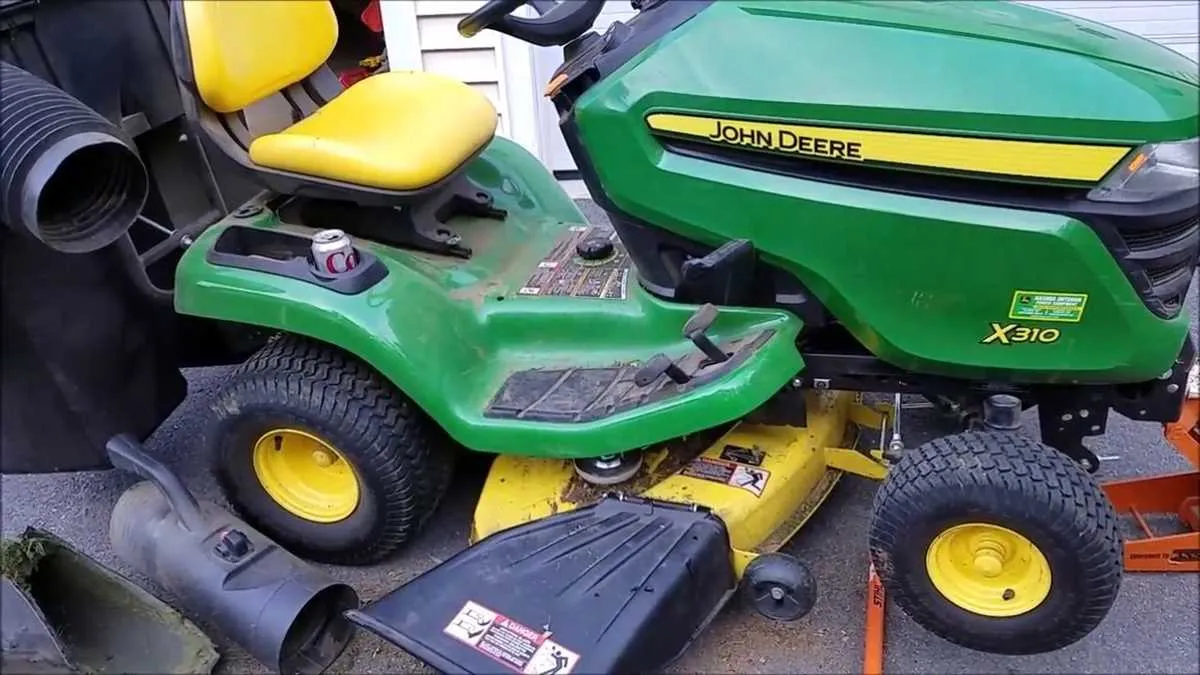
Begin by placing the drive belt over the main pulley on the engine. Ensure it is aligned with the grooves and sits firmly in place. Next, route the belt around the idler pulleys, paying attention to the orientation of each pulley. The belt should follow the pattern shown in the John Deere X350 diagram, with a smooth path around the guide pulleys and tensioner.
Make sure the belt passes under the tension spring located near the deck’s main drive pulley. This spring will maintain the necessary tension to keep the belt tight during operation. Proper alignment is crucial; ensure the belt is not twisted or misaligned, as this can cause premature wear or damage to the system.
The belt should then loop around the blades’ pulleys in the correct order, following the specified routing. The blades must rotate in the correct direction for optimal cutting performance. Double-check that the belt sits evenly across all pulleys and is securely positioned in each groove.
Finally, test the belt tension by pressing on it. It should be taut but not overly tight. If the belt is too loose, it will slip; too tight, and it may cause excessive wear. Adjust the tension accordingly by repositioning the idler pulley or adjusting the tensioner spring to ensure the belt is properly tightened.
Once everything is in place, manually rotate the blades by hand to verify the belt’s movement. If you hear any unusual noises or feel resistance, reassess the routing and tension. A correctly routed belt will ensure smooth operation and prevent unnecessary strain on the mower’s components.