John Deere L120 Deck Belt Diagram and Maintenance Guide
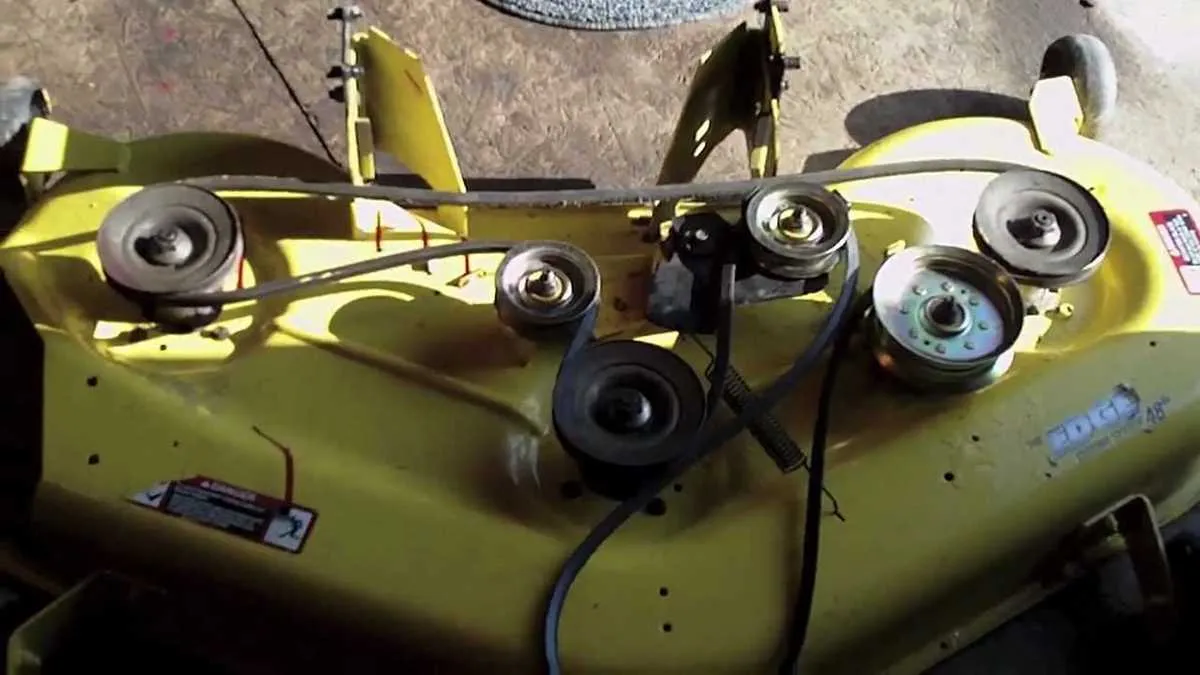
To restore or replace the deck belt on your John Deere L120, having a clear diagram at hand is key. This visual guide will help you understand the routing and positioning of the belt with precision. It’s crucial to ensure the belt is correctly placed to prevent damage and ensure smooth operation.
The deck belt on the L120 runs around several pulleys that power the mower blades. Refer to the diagram for accurate pulley placement. Start by identifying the drive pulleys and tension springs, which play a vital role in keeping the belt taut. The diagram will also highlight any safety or operational features, such as belt guards or adjustments to the tensioner.
Replacing or adjusting the deck belt becomes much easier with the diagram as a reference. Ensure the belt is routed in the same pattern as shown in the diagram to avoid any slipping or misalignment during use. Regular maintenance checks, as shown, will keep the L120 running efficiently and prevent unnecessary wear on the belt.
Deck Belt Diagram for John Deere L120

Replace the deck belt on your John Deere L120 mower by following this clear diagram for proper installation. Make sure you have the correct replacement belt before starting the process. Refer to the manual for specific belt measurements, or use part number GX20072 for the replacement belt.
The belt runs from the engine pulley to the deck pulleys. It goes through several idler pulleys that keep the tension steady. Start by removing the old belt, making sure the engine is off and the mower is on a flat surface. Then, work your way around the pulleys, following the path shown in the diagram. Pay attention to the idler arm and tension spring locations, as these components regulate the belt’s tightness.
Install the new belt by aligning it over the pulleys. The idler pulleys must be in the correct position to avoid misalignment. Once the belt is in place, check that it runs smoothly along its path and that all components are functioning properly before using the mower.
For reference, the belt diagram also includes the routing of the tensioner, which should be positioned correctly to prevent unnecessary wear. Double-check each connection before starting the mower.
How to Identify the Correct Belt Routing for John Deere L120
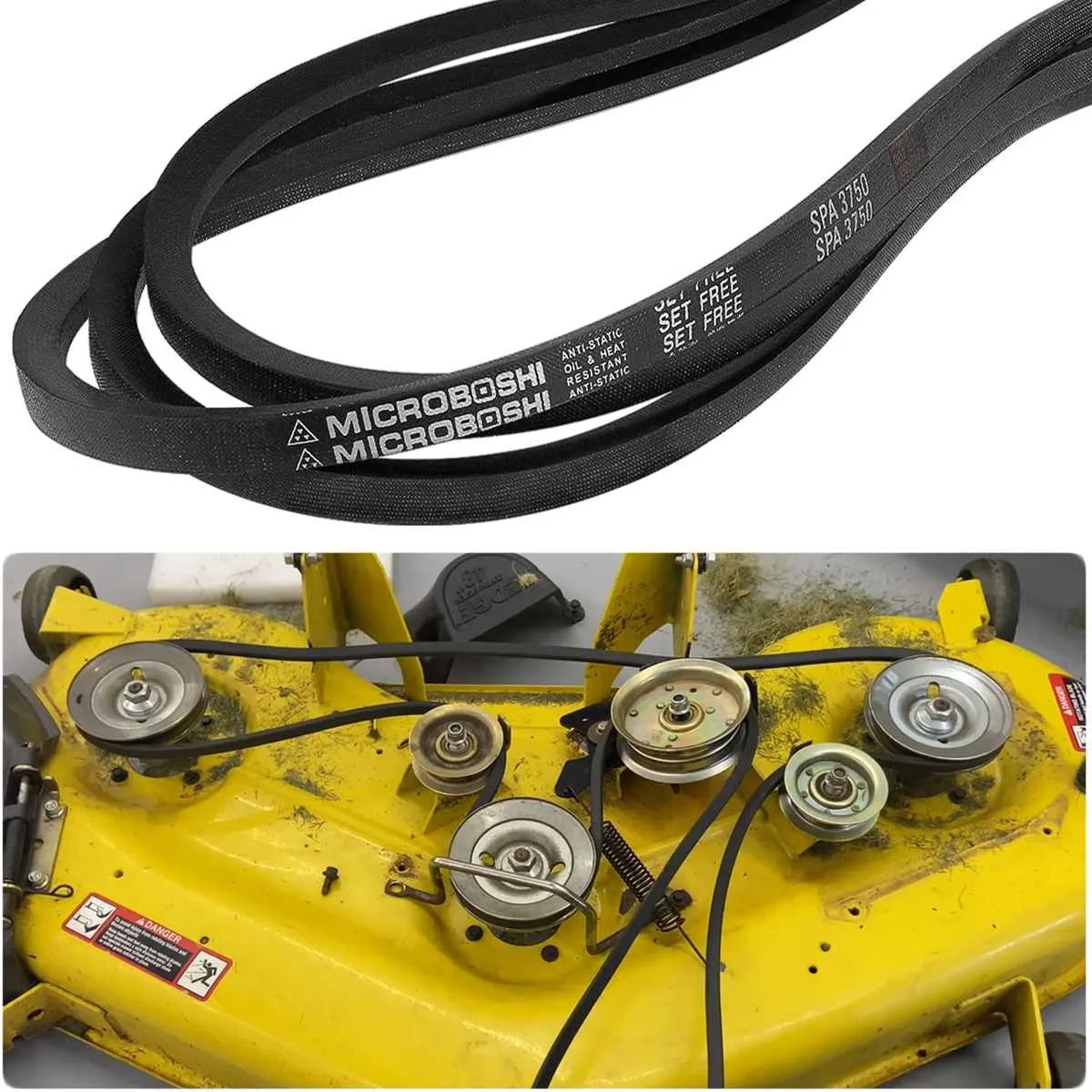
To identify the correct belt routing for the John Deere L120, first, inspect the deck belt’s path and position relative to the pulleys. Ensure the belt fits snugly around the pulleys without slack or excessive tension. Follow these steps:
- Check the belt orientation: The belt should loop around the front and rear pulleys, ensuring it’s routed through the tensioner and idler pulleys correctly. Double-check the alignment of the belt with the diagram provided in the owner’s manual.
- Inspect the pulley arrangement: The L120 has multiple pulleys, including a main drive pulley, idler pulleys, and the blade pulleys. Confirm that each pulley is clean and free of debris, and verify their condition for wear and tear.
- Verify the belt tension: A properly routed belt should have adequate tension to allow smooth operation of the deck blades. If the tension is too loose or too tight, adjust the idler pulley accordingly.
- Use the manual as a guide: The John Deere L120 manual provides a detailed diagram for correct belt routing. Cross-reference the diagram with your setup to ensure the routing is accurate.
- Test the routing: After reinstalling the belt, rotate the blades manually to check if the belt stays in place. Listen for any unusual noises, as this could indicate incorrect routing or tension issues.
Correct routing is critical for the mower’s performance. If you notice any inconsistencies in the belt path or wear on the components, replace the worn parts and reroute the belt accordingly.
Step-by-Step Instructions for Replacing the Deck Belt on John Deere L120
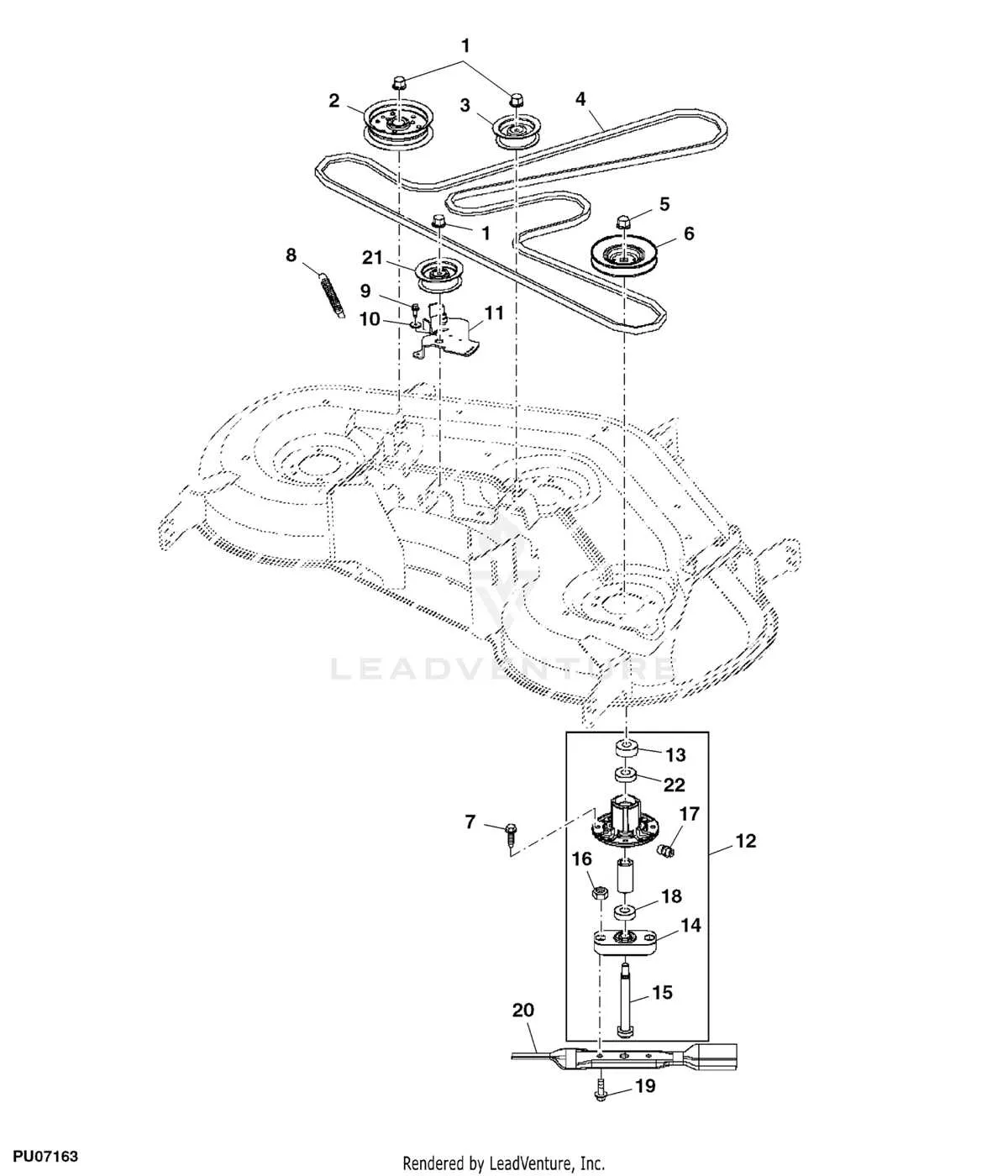
1. Lift the Mower Deck
Raise the mower deck to its highest position using the deck lift lever. Secure it with the deck lift latch to prevent it from lowering during the replacement process. This gives you better access to the belt and pulleys.
2. Disconnect the Battery
Before starting, disconnect the negative terminal of the battery to avoid any accidental electrical discharge while working on the mower.
3. Remove the Old Deck Belt
Locate the tensioner pulley and use a wrench to relieve tension from the belt. Carefully remove the belt from the pulleys. Take note of the belt’s routing to ensure correct installation of the new one.
4. Inspect the Pulleys and Spindles
Check the condition of the pulleys and spindles. Ensure they rotate smoothly without any signs of wear, damage, or excessive play. If necessary, replace damaged pulleys before installing the new belt.
5. Install the New Belt
Place the new belt over the pulleys following the original belt routing. Make sure the belt fits snugly over each pulley groove. Pay close attention to the tensioner pulley, ensuring it is properly engaged with the belt.
6. Check Tension and Alignment
Ensure the new belt is properly tensioned and aligned along all pulleys. The tension should be firm, but not too tight. Double-check that the belt is seated correctly in the grooves.
7. Test the Deck
Reconnect the battery, start the mower, and run it at low speed. Listen for any unusual noises or vibrations. If everything runs smoothly, lower the deck back into its working position.
8. Final Check
After testing, visually inspect the belt and pulleys again for proper alignment and smooth operation. Make sure the mower is ready for use before you begin mowing.
Troubleshooting Common Issues with Deck Belt on John Deere L120
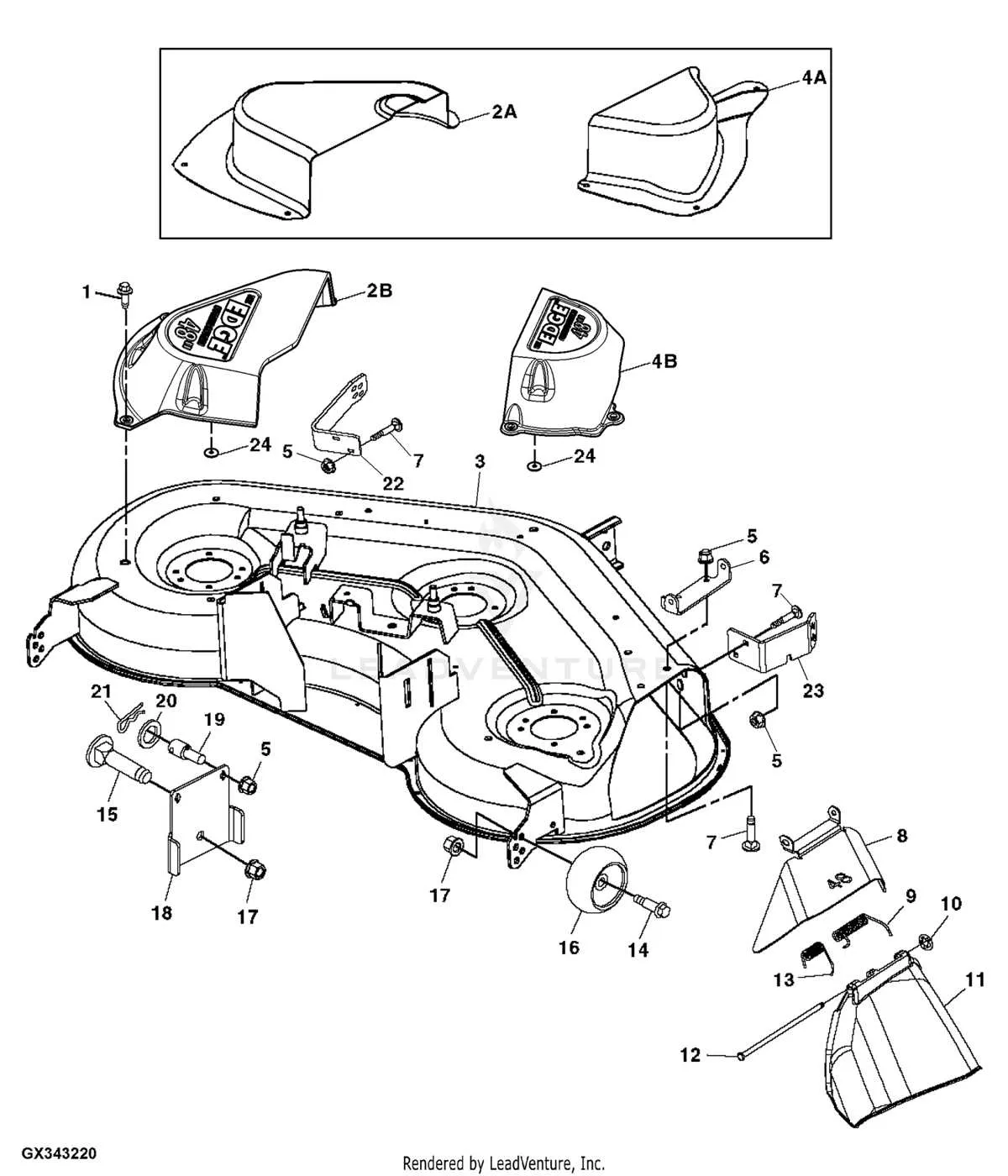
If your John Deere L120 deck belt is slipping, check the belt tension. A loose belt can cause poor performance and even damage the pulleys. Adjust the tension according to the manufacturer’s recommendations. If the belt is worn or cracked, replacing it is the best solution.
If the belt is making a squealing noise, inspect the pulleys for debris or damage. Clean the pulleys and make sure they spin freely. If the noise continues, the belt might need replacing or further tension adjustment.
In case the belt is frequently coming off, inspect the alignment of the pulleys. Misalignment can lead to the belt sliding off during operation. Adjust the pulleys to ensure they are properly aligned, and check for any worn or damaged components.
Check the belt for signs of fraying or excessive wear. If the belt is damaged, it won’t perform properly, leading to decreased cutting efficiency. Always replace the belt if it shows signs of significant wear.
If the belt continues to break or wear out quickly, make sure the mower deck is level. An uneven deck can cause uneven tension on the belt, leading to premature wear. Adjust the deck height to ensure even pressure on the belt.