Exmark Quest 50 drive belt diagram with parts layout and replacement guidance
Check the drive belt diagram for the Exmark Quest 50 before replacing or adjusting any components. The diagram provides the exact routing of the belt around pulleys, idlers, and the transmission, helping you avoid incorrect installation that could lead to uneven cutting or premature wear.
The Exmark Quest 50 uses a belt system designed to transfer power smoothly from the engine to the mower deck. By following the diagram, you can confirm the correct positioning of the belt on the drive pulleys and ensure proper tension. A misaligned belt often causes slippage, loss of power, or unusual noise, which is easy to prevent with careful reference to the routing guide.
Keep the diagram available during maintenance, especially when replacing the belt after wear or damage. Align the belt exactly as shown, verify pulley rotation, and check for debris or sharp edges that could shorten the belt’s lifespan. Using the correct layout not only restores performance but also extends the durability of the entire drive system.
Exmark Quest 50 Drive Belt Diagram
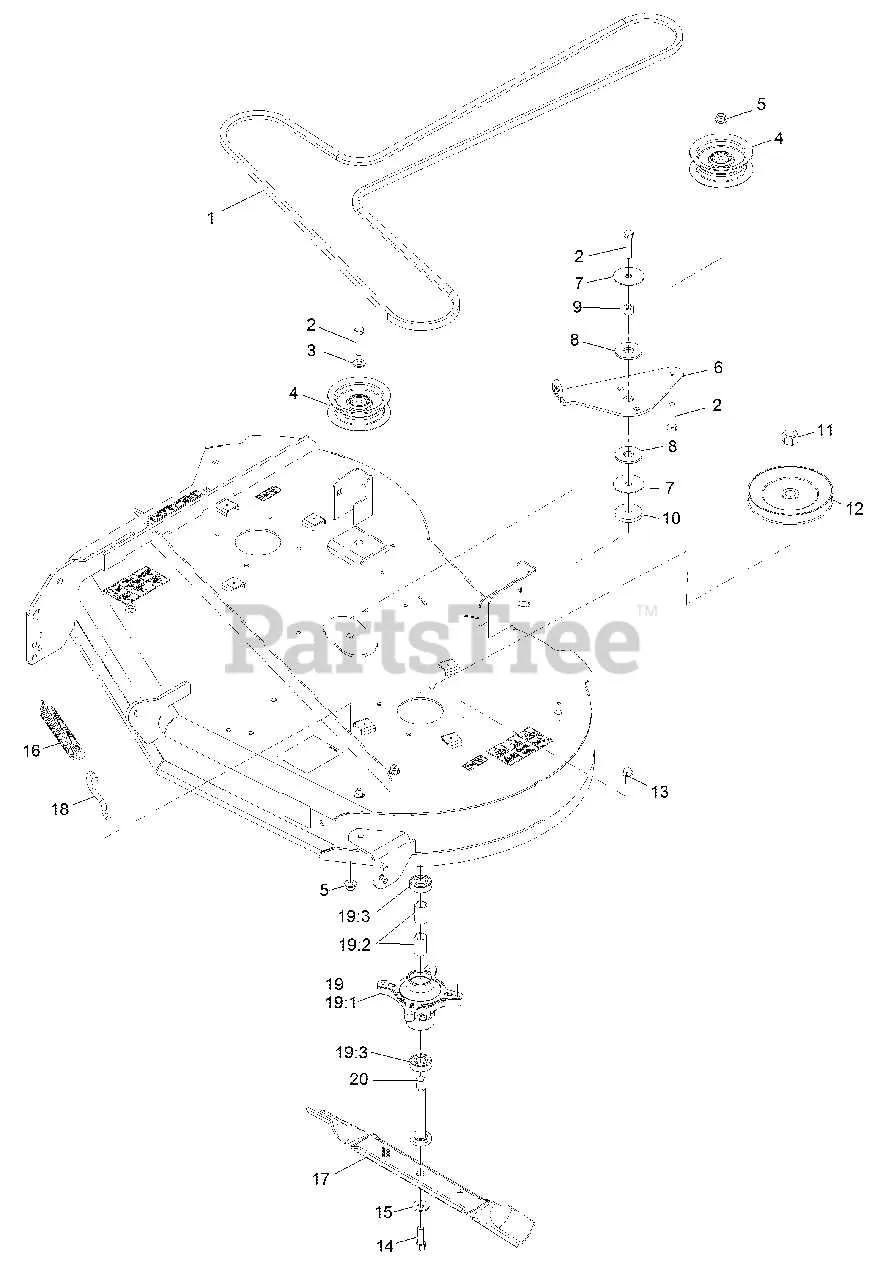
Check the belt routing from the engine pulley to the mower deck pulleys before removing the old belt. The correct diagram shows the belt wrapping around the engine pulley, passing under the deck idler pulley, looping around the spindle pulleys, and returning through the tensioner pulley.
When installing, route the belt exactly as illustrated on the diagram inside the deck guard. Tighten the idler arm spring to maintain proper tension and confirm the belt sits fully in the pulley grooves without twisting. A misaligned belt reduces cutting performance and wears out faster.
Inspect each pulley for smooth rotation and replace if you notice wobbling or grinding. Clean debris from the deck housing to prevent belt slippage. After installation, engage the blades at low throttle to confirm correct alignment before mowing at full speed.
How to Identify the Correct Drive Belt Path on Exmark Quest 50
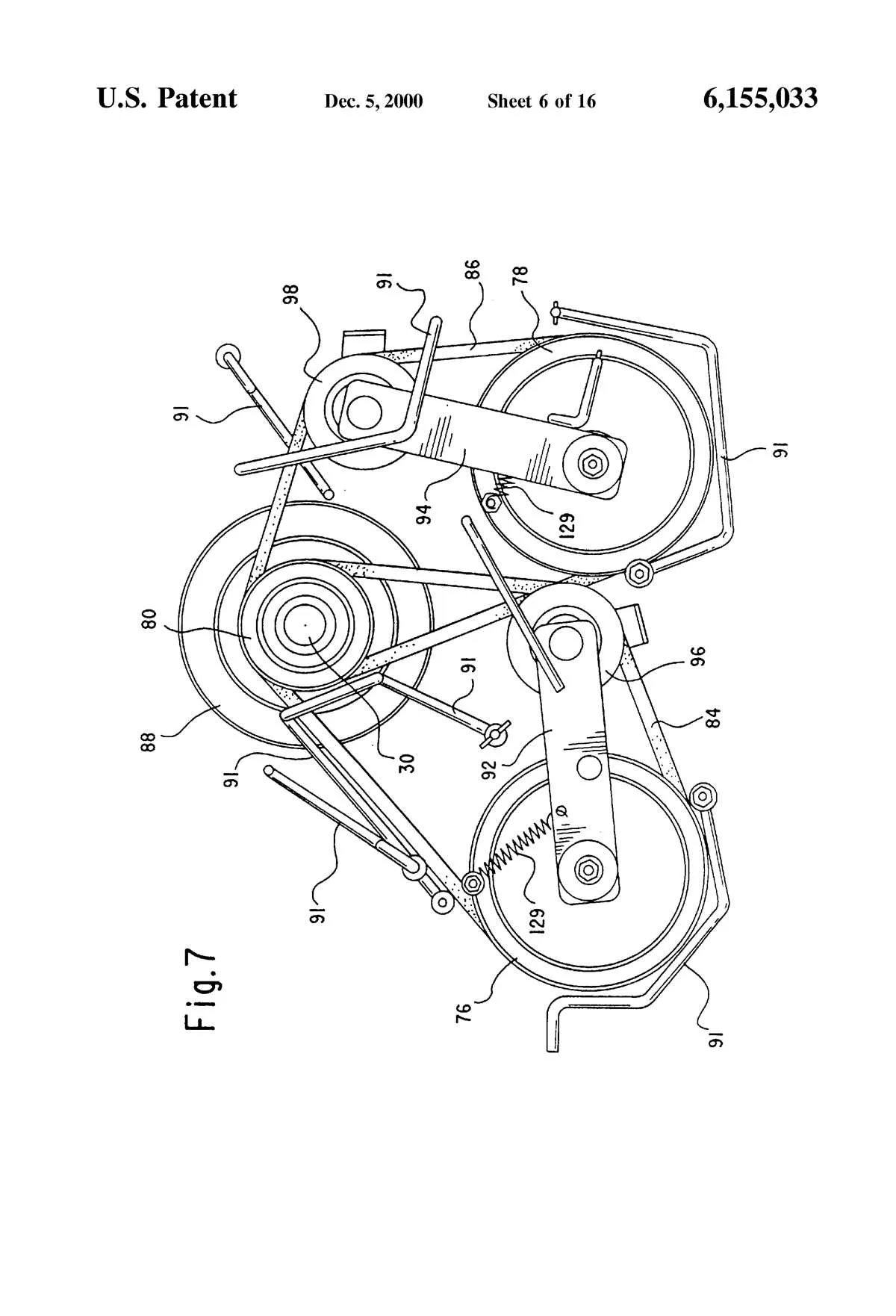
Check the belt routing decal under the mower deck or near the frame before removing the old belt. This factory label shows the exact pulley arrangement and prevents mistakes during installation.
If the decal is missing, use the following steps to confirm the correct path:
- Locate the engine pulley at the rear center. This is the belt’s starting point.
- Follow the belt to the deck idler pulleys on the right side. These pulleys apply tension and guide the belt around sharp angles.
- Continue the belt around the spindle pulleys for both blades. Each spindle must receive direct contact with the belt for synchronized rotation.
- Check the spring-loaded tensioner arm. The belt should rest inside the grooved pulley while the spring holds constant pressure.
- Verify that the belt sits fully inside each pulley groove without twists. The flat side of the belt should run on flat idlers, while the V-side matches V-groove pulleys.
Rotate the pulleys by hand after fitting the belt. This confirms smooth movement and proper alignment before starting the mower.
Step-by-Step Guide to Replacing the Drive Belt
Disconnect the spark plug wire before working to prevent accidental starting. Park the mower on a flat surface and engage the parking brake to keep it stable.
Remove the mower deck by releasing the deck pins and lowering it to the ground. Slide it out from under the frame for clear access to the pulleys.
Take off the belt covers and release the tensioner spring to loosen the old belt. Pull the worn belt off the pulleys, noting the exact routing for proper installation.
Place the new belt around the engine pulley first, then guide it through the deck pulleys. Make sure it sits evenly in each pulley groove without twisting.
Reconnect the tensioner spring to apply proper tension. Rotate the pulleys by hand to check smooth movement and correct alignment.
Reinstall the deck covers, slide the mower deck back into position, and secure it with the pins. Reconnect the spark plug wire before starting the engine.
Tip: Keep the manufacturer’s diagram nearby to confirm routing accuracy and avoid premature belt wear.
Common Drive Belt Issues and Troubleshooting Tips
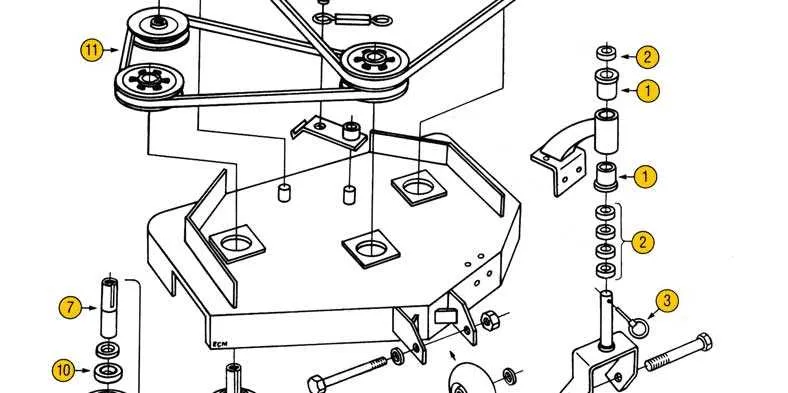
Check belt tension first: a loose belt slips under load, while an overtightened belt wears pulleys prematurely. Adjust according to the manufacturer’s specified range to maintain steady performance.
Inspect the belt surface closely. Cracks, glazing, or missing chunks indicate overheating or material fatigue. Replace the belt immediately to prevent sudden failure during mowing.
Look for pulley misalignment. Uneven wear patterns on the belt edges signal that pulleys are not sitting straight. Realign or replace damaged pulleys to avoid repeated belt damage.
Clear debris from the deck regularly. Grass buildup under pulleys and around tensioners increases friction and causes belts to overheat. Cleaning after each use extends belt lifespan significantly.
Examine the tensioner spring and idler arm. A weak spring or a stiff pivot reduces proper tensioning. Replace worn parts to restore consistent belt pressure and smooth operation.
Lubricate moving parts sparingly. While pulleys and belts must stay dry, pivot points and bearings should move freely. Use manufacturer-approved lubricants on metal components only.
Test belt tracking with the engine running at low throttle. If the belt wobbles or walks off the pulleys, check guide brackets and ensure all hardware is tightened securely.