Ferris IS1500Z Belt Diagram and Maintenance Guide

To maintain the Ferris IS1500Z mower in peak working condition, accurately following the belt routing is key. Refer to the diagram below for an exact guide to the serpentine belt setup on the IS1500Z model. Ensure the belt is routed as shown to prevent wear and ensure smooth operation.
Step 1: Begin by locating the engine’s pulleys and the belt tensioner. Understanding how each pulley interacts with the belt can help you diagnose issues with belt alignment.
Step 2: Use the belt diagram to check the correct installation path. If the belt is incorrectly installed, it can cause excessive wear, slipping, or even damage to the mower’s engine components.
Step 3: After confirming the belt routing, ensure the tension is set correctly. A loose belt will lead to slipping, while an overly tight belt can strain the engine’s pulleys.
Ferris IS1500Z Belt Diagram
The Ferris IS1500Z belt system consists of multiple belts, each designed to handle a specific function. The primary belt is the drive belt, which connects the engine to the transmission system, enabling power transfer to the wheels. The second belt is the deck belt, responsible for driving the mower blades. A clear understanding of the layout helps avoid unnecessary wear or misalignment.
Refer to the diagram for precise routing details. The drive belt runs from the engine’s crankshaft pulley, looping around the idler pulley and then to the transmission input pulley. The deck belt attaches to the mower deck pulleys and ensures the blades rotate. Pay close attention to belt tension; under or over-tightening can lead to premature wear or failure.
If replacing the belts, ensure each belt matches the OEM specifications. Use the appropriate tensioning method to guarantee the belts function properly without slipping or overstretching. Regularly check for signs of wear, such as cracking, fraying, or visible stretching. Replace damaged belts immediately to prevent further mechanical issues.
When routing the belts, always follow the diagram’s sequence. Incorrect routing can result in the belt skipping, slipping, or breaking. Verify the belt alignment and ensure it is seated properly in each pulley groove before use. For smoother operation, consider periodically inspecting the pulleys for damage or debris build-up.
Identifying the Correct Belt Configuration for Ferris IS1500Z
To identify the correct belt configuration for your Ferris IS1500Z, first consult the operator’s manual for the belt routing diagram. This diagram displays the precise path the belts should follow, ensuring proper functioning of the engine and components.
Verify the correct belt size by checking the specifications for your model. The belt length and width must match the requirements specified in the manual. Incorrect sizing can lead to slipping, misalignment, or even damage to the mower’s parts.
Inspect the tension of the belt after installation. The belt should have proper tension to avoid premature wear or slippage. Ensure the tensioner pulley is working smoothly and not worn out.
Pay attention to the direction of rotation of each pulley and the alignment with the belt. Proper routing ensures that the system operates efficiently and reduces unnecessary strain on the engine and components.
Double-check all connections before starting the mower. Confirm that the belt is seated correctly in the grooves of the pulleys and that there is no slack or misalignment.
Step-by-Step Guide to Replacing the Belt on Ferris IS1500Z
1. Disconnect the battery
Before starting, disconnect the battery to avoid any electrical issues while working on the mower. This step ensures safety throughout the process.
2. Lift the mower
Use a hydraulic jack or mower lift to elevate the mower, giving you ample space to access the underside. Ensure the mower is stable before continuing.
3. Remove the deck
Remove any securing bolts or pins holding the mower deck in place. Carefully lower the deck or remove it entirely to access the belt area.
4. Locate the belt routing diagram
Refer to the Ferris IS1500Z belt routing diagram. This diagram shows the precise path the belt takes around the pulleys and components. Ensure you have a clear understanding of the routing before proceeding.
5. Release tension from the belt
Locate the tensioner pulley and release the tension on the belt by moving the tensioner arm. This will allow the belt to be removed without any resistance.
6. Remove the old belt
Carefully slide the belt off the pulleys, following the routing path. Take note of how the belt is routed to ensure proper installation of the new one.
7. Install the new belt
Place the new belt onto the pulleys, making sure to follow the routing diagram precisely. Ensure the belt is seated correctly in all grooves.
8. Apply tension to the belt
Re-engage the tensioner pulley to apply the necessary tension to the belt. Verify that the belt is properly tightened and seated in all pulleys.
9. Reinstall the mower deck
Lift the deck back into place and secure it with the appropriate bolts or pins. Double-check that everything is properly aligned.
10. Reconnect the battery
Finally, reconnect the battery to restore power to the mower. Test the operation of the new belt by running the mower at a low speed first, ensuring everything is functioning smoothly.
Troubleshooting Common Belt Issues on Ferris IS1500Z
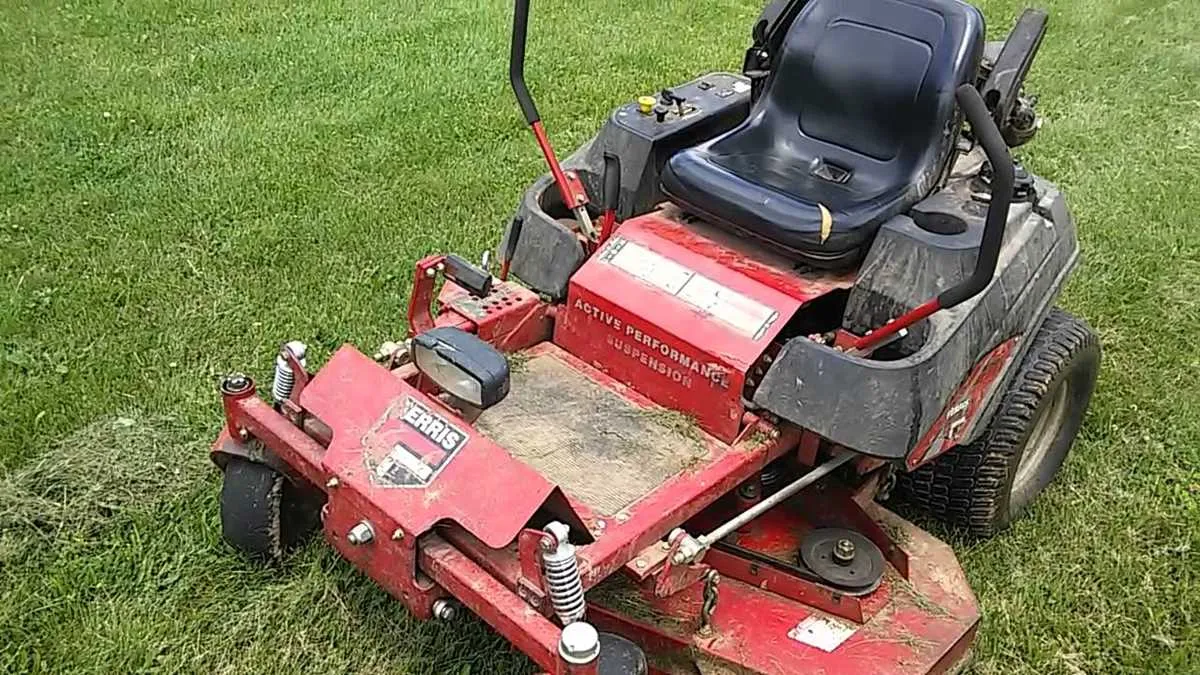
If your Ferris IS1500Z is experiencing belt-related problems, here’s a guide to help you identify and fix the most common issues quickly.
- Belt Slippage: If the belt is slipping, it may be due to incorrect tension. Check the belt tension and adjust it according to the manufacturer’s recommendations. Loose belts can slip off the pulleys, reducing performance.
- Uneven Belt Wear: Uneven wear often indicates misalignment of pulleys. Inspect the pulleys for wear or damage. If misalignment is found, adjust the pulleys to ensure they are parallel and aligned correctly.
- Noisy Belt: A squealing or grinding noise can result from debris stuck in the belt area or a worn belt. Clean the area and check the belt for fraying or cracks. If damaged, replace the belt immediately.
- Belt Breakage: A snapped belt could be caused by excessive tension or a pulley malfunction. Inspect the tension springs and pulleys for damage. If the belt is broken, replace it with a genuine part and check the pulley system for smooth operation.
- Difficulty in Engagement: If the belt isn’t engaging correctly, the drive system might need lubrication. Lubricate the pulleys and check for any blockages or obstructions that could prevent smooth operation.
Addressing these common issues will help keep your Ferris IS1500Z running smoothly. Regular maintenance, such as checking belt tension and cleaning the components, can prevent many of these problems.